
One WhatsApp inbox. A team that’s on the same page.
Reply together, keep the context and automate routine questions from Wassenger.
Customer needs a quote. Sam is taking it from here.
Trusted by teams using the tools you already run on


Everything you need to run WhatsApp at work.
Six core capabilities, one platform, one bill. Click any feature to see how it works in detail.
Shared team inbox
Assign the chat, add a private note and let the next person pick up with context.
Try the inboxAI Assistant powered by ChatGPT
Draft replies using the chat context and your instructions. Summarize, translate and improve messages in your tone. Review the draft before sending.
AI Assistant detailsCampaigns at any scale
Reach contacts who opted in with personalized templates. Campaign and recipient limits depend on your plan.
Campaigns detailsFlows — no-code automation
Build, connect and test rules for replies and handoffs before activating them.
Flows detailsOpen API for custom integrations
Send messages, manage chats and sync contacts from your own apps. Official SDKs, webhooks with automatic retries — the same API that powers our console. For developers who need it; optional for everyone else.
API documentationYour inbox on mobile
Use the shared inbox in your mobile browser or Android app. Check the download options available in your account.
Explore mobile accessOne WhatsApp number. Your whole team. No collisions.
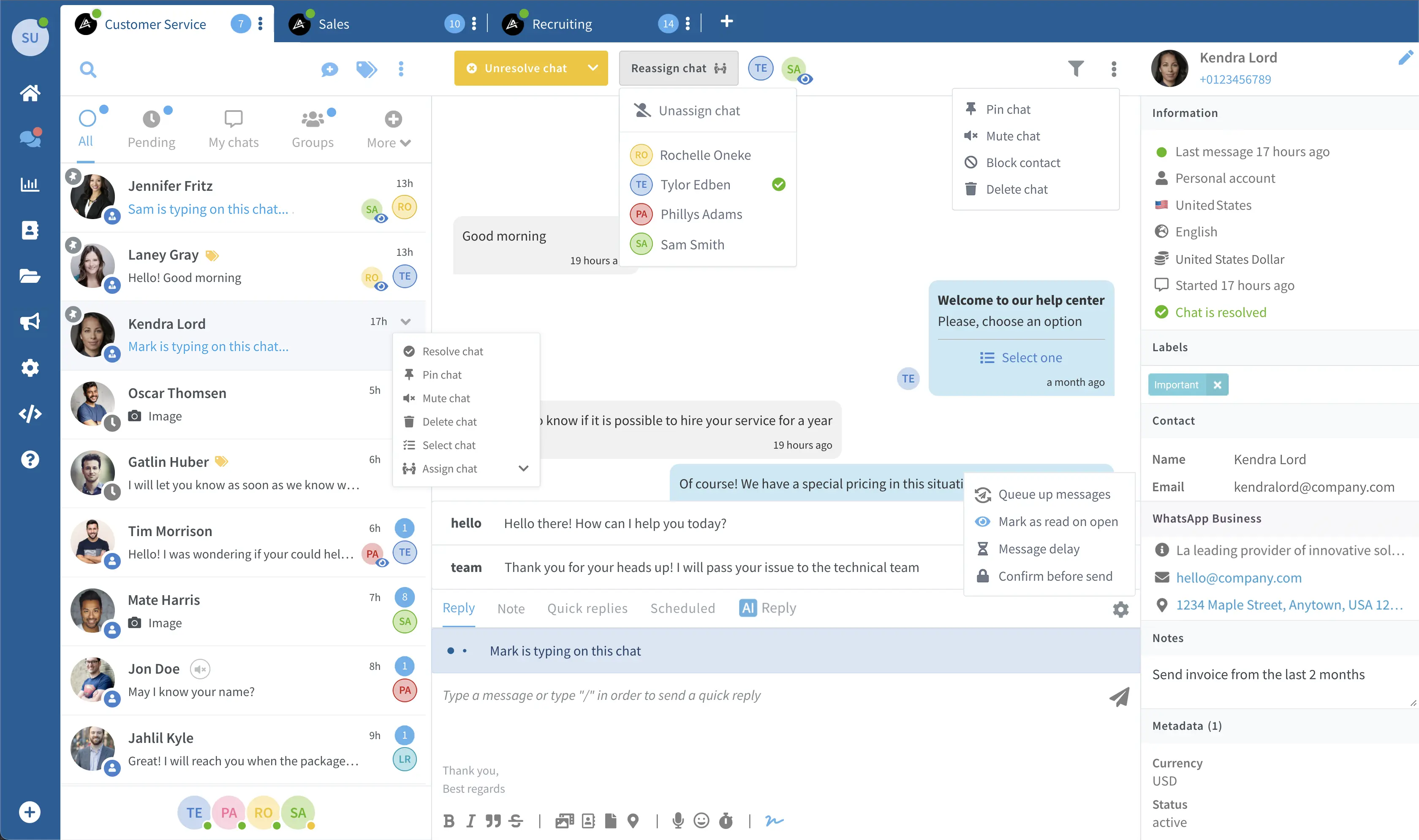
Assign the chat, add a private note and let the next person pick up with context.
- Assign and claim chats — two agents never reply to the same customer.
- Private internal notes: context travels with the chat, not in someone's head.
- Quick replies, labels and statuses keep a busy inbox under control.
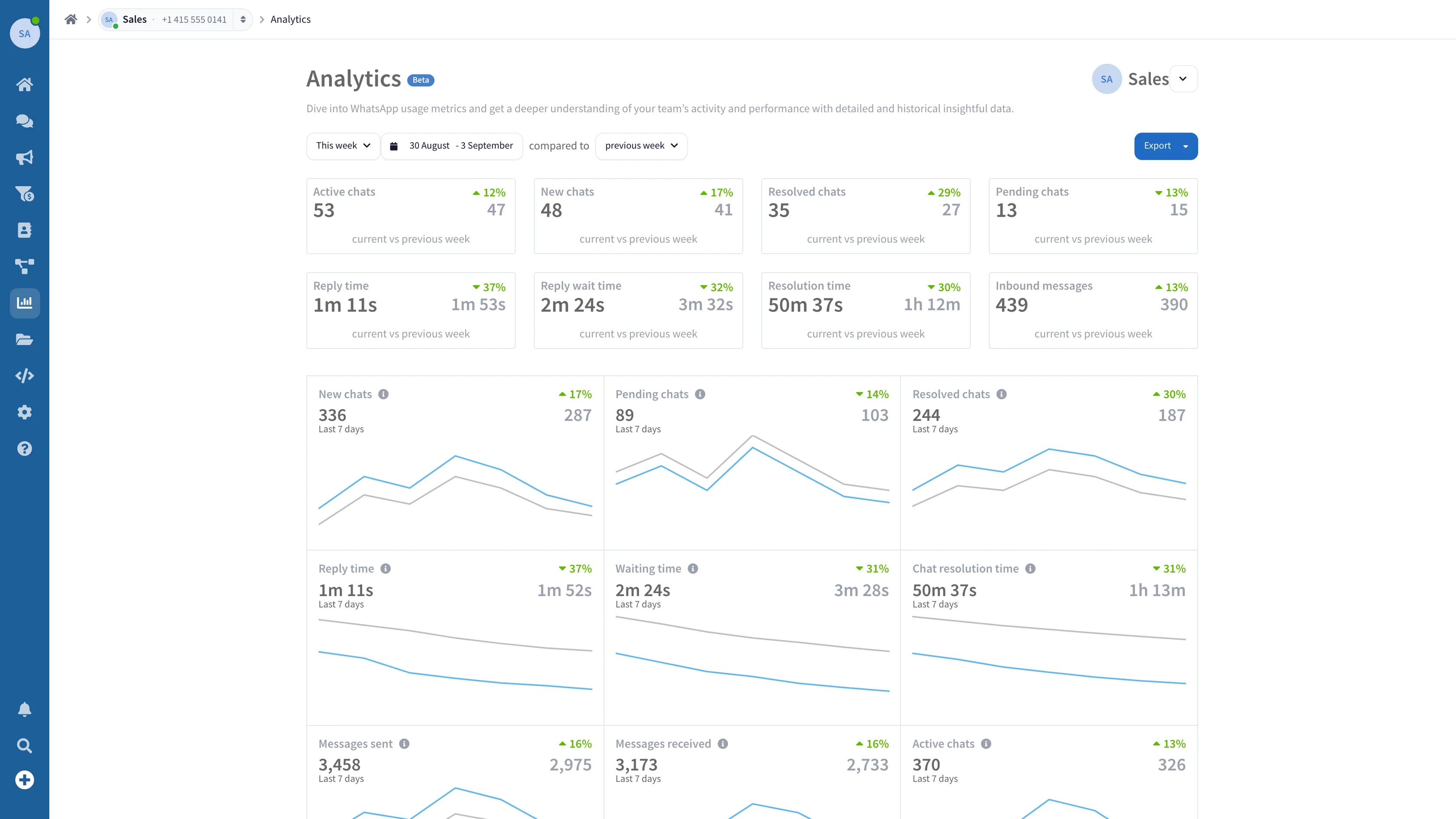
Run your inbox on numbers, not hunches.
Track response times and workload to see where your team needs support.
- Response time, resolution rate and chat volume — per agent and per team.
- Spot the bottlenecks: see exactly when and where conversations stall.
- Export any report to CSV — for the meeting, or the board.
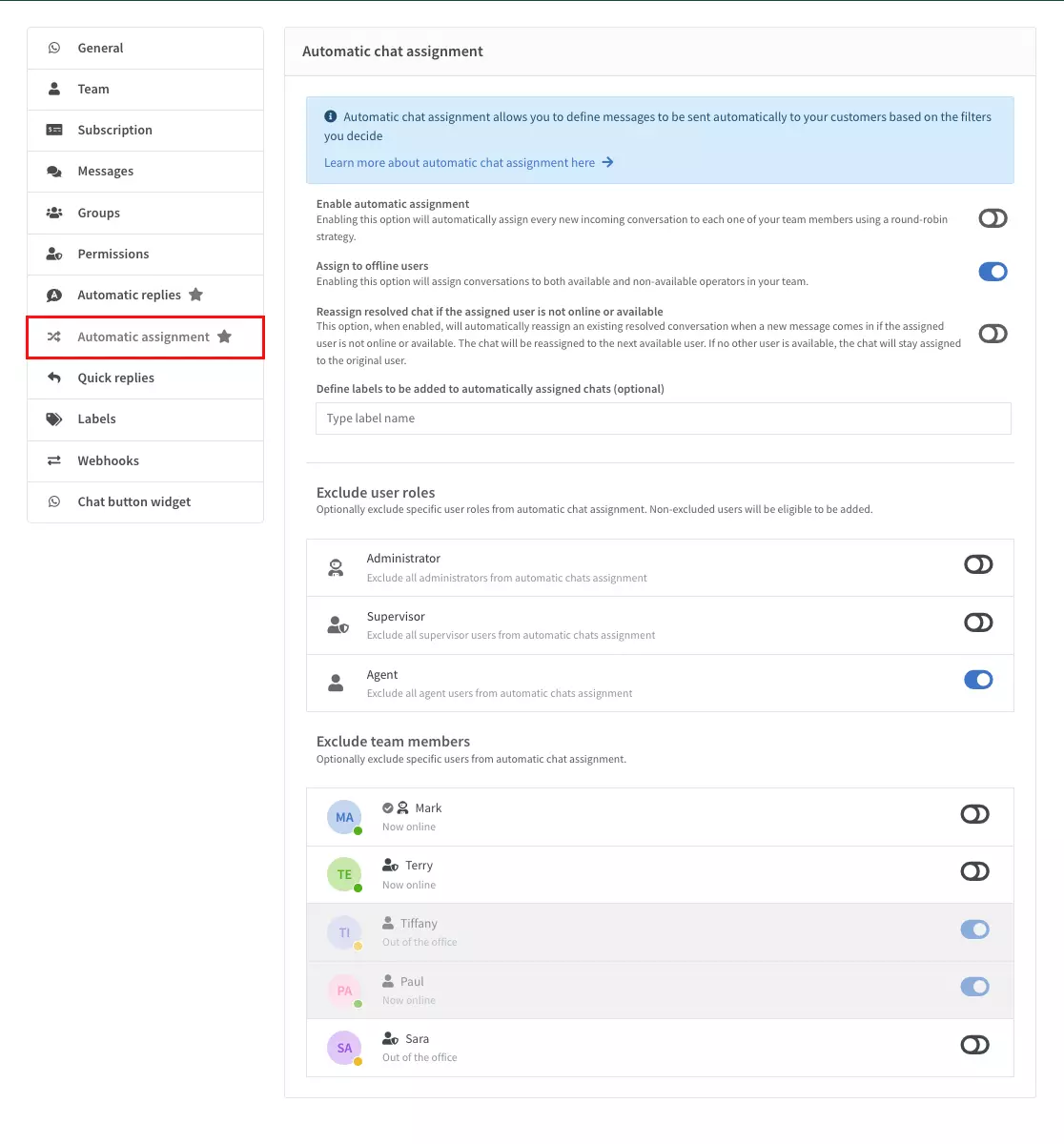
Every chat to the right team — before anyone has to ask.
Group your team and configure routing rules for each type of request.
- Group agents into departments — by function, language or region.
- Auto-route chats by keyword, entry number or schedule.
- Each department sees only its own queue — no noise, no overlap.
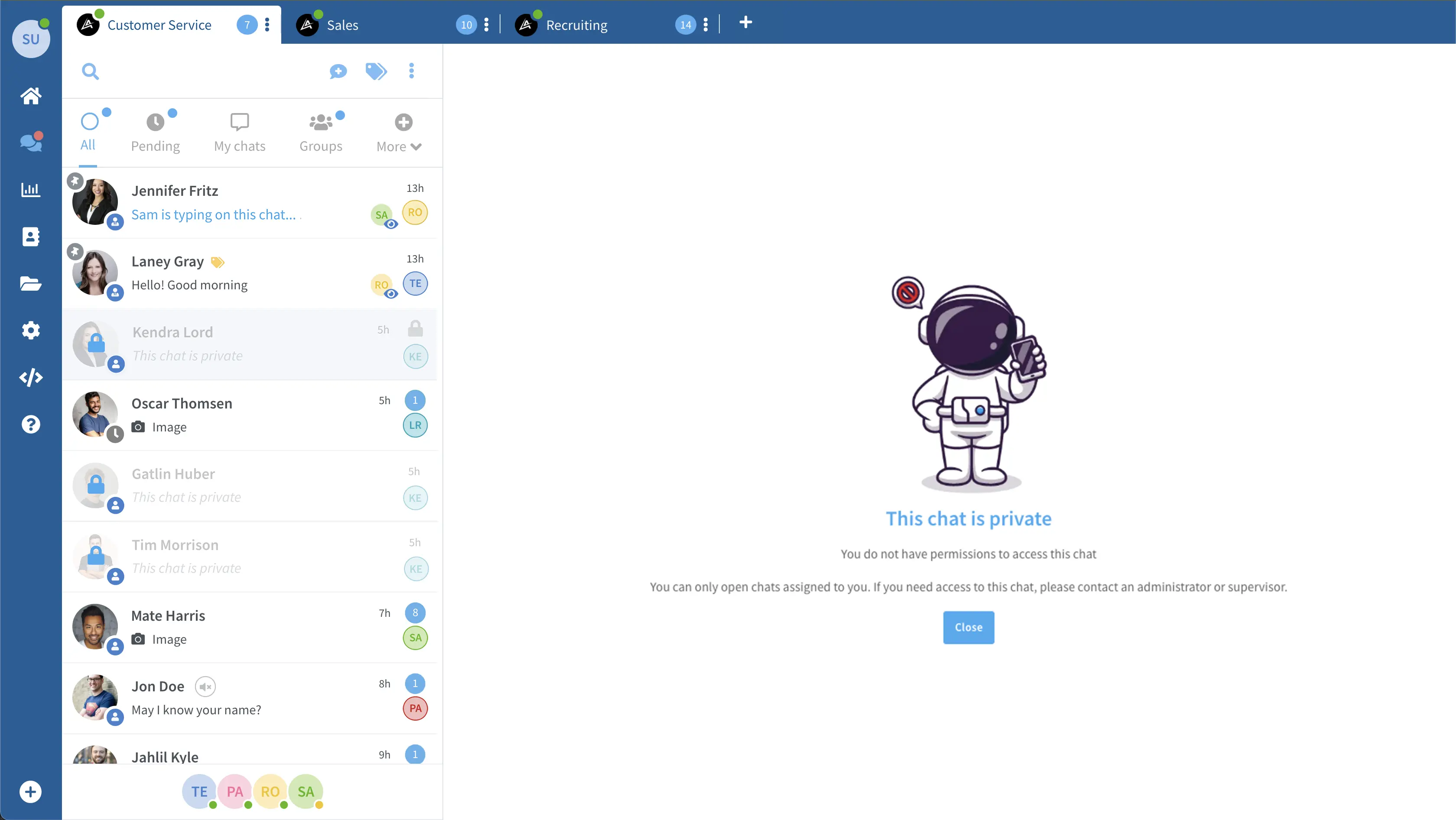
Not everyone needs to see everything.
Decide who can read, reply, assign or change settings with team permissions.
- Role-based access — Owner, Supervisor, Agent, or roles you define yourself.
- Scope an agent to their own chats, their department or their numbers only.
- Lock down exports, settings and billing — replying is not the same as admin.
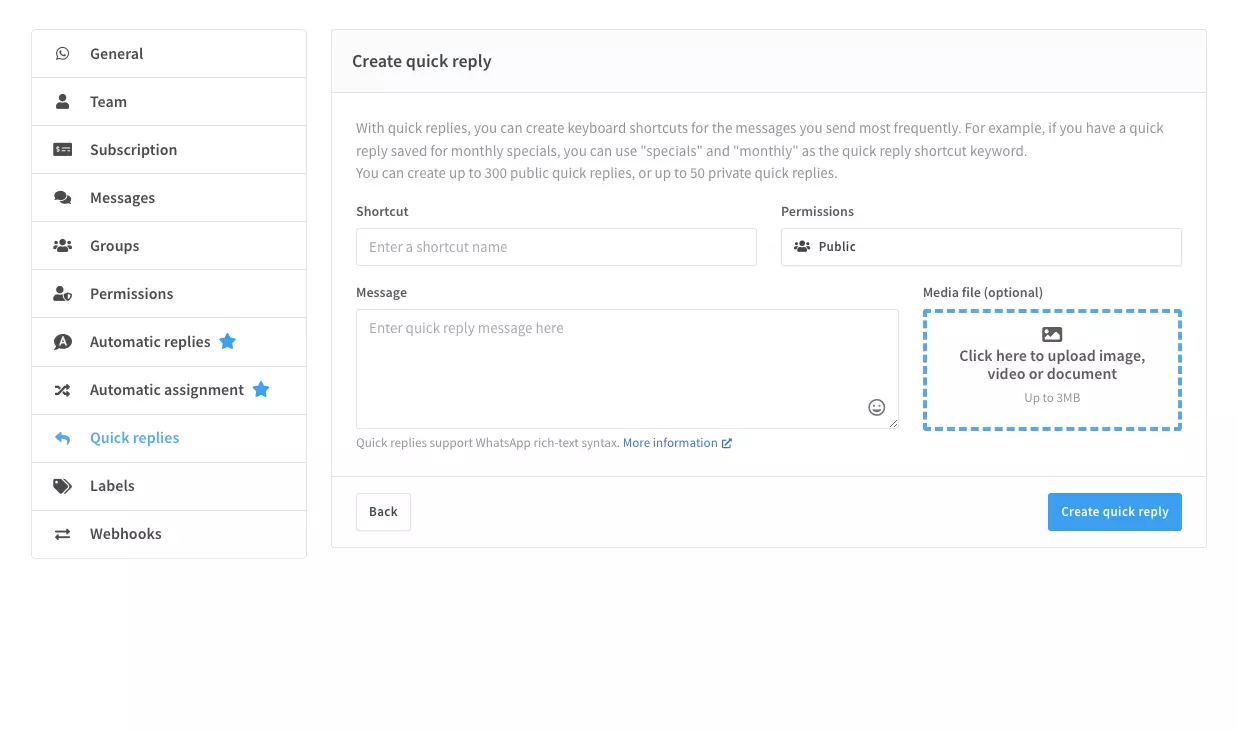
Stop typing the same reply forty times a day.
Save common replies, organize chats with labels and leave the next person a private note.
- Quick replies — save any answer, drop it into a chat in one keystroke.
- Labels and tags keep a busy inbox sorted and instantly searchable.
- Internal notes pass context between agents — privately, inside the chat.
Plug Claude, ChatGPT or any AI straight into WhatsApp.
Connect a compatible AI client to read chats and use available WhatsApp tools. Review the client’s permissions and approval settings.




Try Wassenger free for 7 days.
Connect your WhatsApp number, set up your team and test the workflow that fits your business.