WhatsApp automation is a game-changer for businesses, and Wassenger API makes it super easy to integrate WhatsApp messaging into your apps and services. Sign up now at Wassenger App to get started instantly! 🚀 Ready to send your first WhatsApp message via API? Let’s go! 🏁

Step 1: Get Your API Key 🔑
First things first, you need an API key from Wassenger:
- Log in to your Wassenger account at the Wassenger App.
- Go to the API Keys section (API Keys).
- Copy your API key (keep it safe!).
Step 2: Install Required Tools 🛠️
You’ll need tools like curl, Postman, or your favourite programming language. Wassenger API works with any programming language, including Node.js, Python, PHP, C#, Java, and more!
Step 3: Send Your First Message! ✉️
API URL
Use the POST method with the URL:
https://api.wassenger.com/v1/messages
Headers
Content-Type: application/json
Token: YOUR_API_KEY
Here’s a simple example using curl:
{
  "phone": "+1234567890",
  "message": "Hello from Wassenger API!"
}
Replace YOUR_API_KEY and +1234567890 with your details.
Here are more delivery possibilities!
- Simple Text Message:
{
  "phone": "+1234567890",
  "message": "Hello world, this is a sample message"
}
- Multiline Text Message:
{
  "phone": "+1234567890",
  "message": "Hello world, \nThis is a sample message\nCheers!"
}
- Send Media Image:
{
  "phone": "+1234567890",
  "message": "This is a caption for an image message",
  "media": {
    "url": "https://picsum.photos/600/400",
    "expiration": "7d"
  }
}
Refer to more API Code Samples for different message types like media, templates, and scheduling.
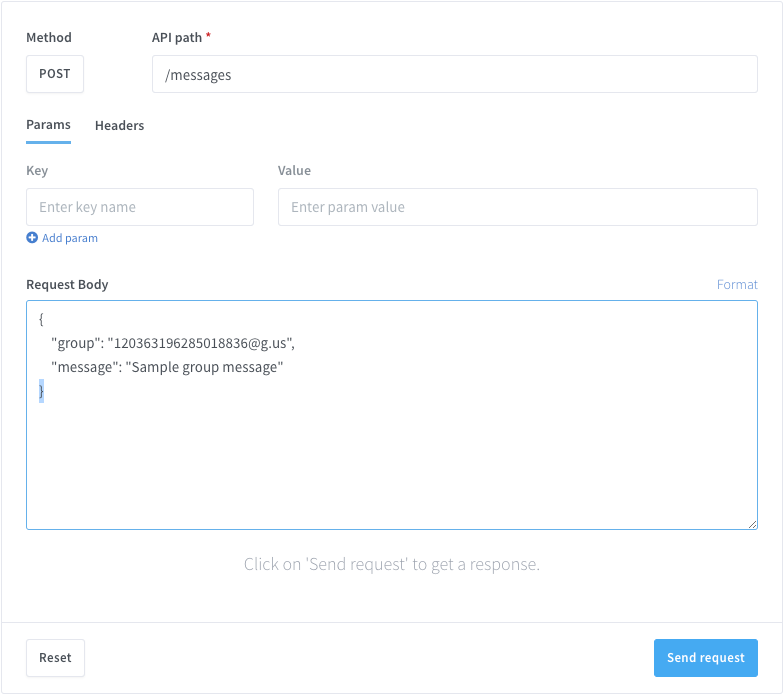
Response 📩
You’ll get a response with the message ID and status if successful. If not, here are some common error codes:
- 400: Bad request — Invalid data in your request.
- 401: Unauthorized — Invalid or missing API key.
- 403: Forbidden — You don’t have permission for this action.
- 404: Not found — The resource doesn’t exist.
- 409: Conflict — Message already exists.
- 429: Too many requests — Rate limit exceeded.
- 500: Server error — Something went wrong on Wassenger’s end.
Refer to Wassenger’s documentation for more details at Wassenger Docs.
Next Steps 🏆
👉 Ready to level up your WhatsApp automation? Visit our Wassenger Website to learn more and start your journey today!
- Add emojis 😊, media 📸, and more to your messages.
- Schedule messages for later.
- Handle responses with webhooks.
🚀 Start exploring the Wassenger API today and automate your WhatsApp messages like a pro!
📚 Check out the full documentation here!