Connect your number, automate replies, and run campaigns while your Meta Business verification is still pending — here's exactly what works before you're verified, and what unlocks once you are.
🤩 🤖 Wassenger is a complete API solution for WhatsApp. Sign up for a 7-day free trial and get started in minutes!
One of the most common questions from businesses getting started with the WhatsApp Business API is simple: "Do I have to wait for Meta to verify my business before I can send messages?"
It's a fair concern. Meta Business verification can take anywhere from a few minutes to several days, and no one wants a product launch blocked by paperwork. The good news: you do not have to wait. You can connect your number, automate conversations, and even run campaigns while your verification is still pending.
But there are limits you need to understand so you don't hit surprises. This guide breaks down exactly what you can — and can't — do with the WhatsApp Business API before verification, and how getting verified unlocks the next level of growth.
Can You Connect an Unverified Meta Business Account?
Yes. You can connect your phone number to the WhatsApp Business API and start sending messages even if your Meta Business account is not yet verified.
When you set up the WhatsApp Business API through a provider like Wassenger, you go through Meta's official onboarding flow. This creates your WhatsApp Business Account and links your phone number. Meta Business verification is a separate process that runs in parallel — it does not block you from going live.
In practice, this means you can:
- Connect your WhatsApp number today.
- Send and receive messages immediately.
- Set up your automations and message templates.
- Continue your verification in the background.
So the moment your number is connected, you're ready to start talking to customers.
The One Real Limit: Messaging Caps for Unverified Businesses
Here's the part every business should understand before launching.
While your business is unverified, WhatsApp applies a starter messaging limit. Currently, an unverified business can message up to 250 unique customers within a rolling 24-hour period. This is a Meta limit, not a restriction set by your API provider.
Once your business is verified — and as your number builds up healthy sending volume and a good quality rating — this limit increases automatically in tiers:
- 1,000 unique customers / 24 hours
- 10,000 unique customers / 24 hours
- 100,000 unique customers / 24 hours
- Unlimited
Two things move you up the tiers: business verification and consistent, good-quality messaging. So verification isn't just a formality — it's what lets you scale.
Key takeaway: You can start sending right away. Verification doesn't decide whether you can message customers — it decides how many you can reach per day.
Unverified vs Verified: What Actually Changes
To keep it simple, here's what stays the same and what changes once Meta verifies your business:
Works the same, verified or not:
- Sending and receiving messages.
- Auto-replies, chatbots, and chat flows.
- Message templates and campaigns.
- API access and integrations.
What verification unlocks:
- Higher daily messaging limits (1K → 10K → 100K → unlimited).
- The ability to register additional phone numbers.
- Eligibility to apply for the green verified business badge.
In short: you lose nothing by starting unverified — you simply have a lower ceiling until Meta completes the review.
Do WhatsApp Automations Work Without Verification?
Yes — fully. This is where many businesses worry unnecessarily.
Automated workflows run regardless of your verification status. Verification affects your daily volume, not whether automation logic works. With Wassenger, from day one you can:
- Send auto-replies to new messages and after-hours enquiries.
- Build chatbots and chat flows that answer FAQs 24/7.
- Trigger follow-up messages when a customer clicks a button or replies with a keyword.
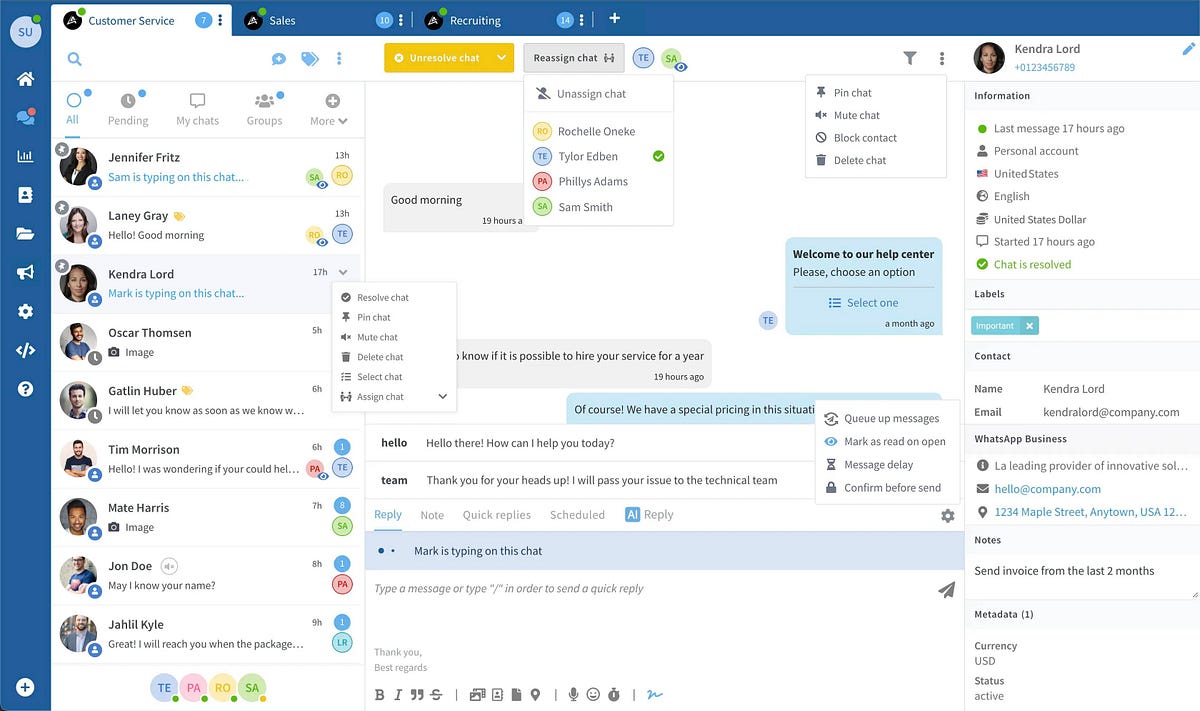
- Route conversations to the right agent or team automatically.
For example, a flow like "customer taps the 'Get a quote' button → send a follow-up message with pricing → notify the sales team" works exactly the same whether your business is verified or not.
This means you can build and test your entire automation setup while verification is still pending — and it will keep running unchanged the moment you're verified.
🤩 🤖 Wassenger is a complete API solution for WhatsApp. Sign up for a 7-day free trial and get started in minutes!
Can You Run Bulk Campaigns Before Verification?
Yes — with one important rule.
To message customers who haven't contacted you first (which is what a campaign does), the WhatsApp Business API requires a pre-approved message template. This applies to every business, verified or not.
With Wassenger's Campaigns feature, you can:
- Upload your own contact list from a CSV or Excel file.
- Select a pre-approved WhatsApp template.
- Personalize it with variables such as the customer's name.
- Schedule the send and control the delivery pace.
While you're unverified, your campaign simply has to respect the 250 unique contacts per 24 hours limit. If your list is larger, split the send across several days, or wait until verification raises your limit.
There's one more rule that matters even more than verification: the people you message must have opted in to receive messages from your business. WhatsApp judges your number on its quality rating — if recipients block you or mark your messages as spam, your number can be restricted or even banned. This is true at any tier, verified or not.
So before your first campaign, make sure:
- Every contact on your list gave you permission to message them.
- Your template provides clear value — an order update, a booking confirmation, a relevant offer.
- You're not importing a cold, purchased, or scraped list.
Do this, and bulk messaging on the WhatsApp Business API is both safe and effective — the opposite of the ban risk that comes with unofficial, QR-based WhatsApp tools.
How to Get Verified and Unlock Higher Limits
Meta Business verification is worth completing as soon as possible. Here's the short version of the process:
- Open Meta Business Manager (business.facebook.com) and go to Business Settings → Security Center.
- Start the verification process for your business portfolio.
- Provide your legal business details — name, address, phone number, and website.
- Upload a supporting document, such as a business registration certificate or a utility bill in the business's name.
- Submit and wait for Meta's review.
Once approved, your messaging limits start climbing through the tiers, you can register additional numbers, and you become eligible for the verified business badge.
Best Practices While You're Unverified
To make the most of your pending-verification period:
- Warm up your number. Don't blast 250 contacts on day one — ramp up gradually so WhatsApp sees healthy, natural activity.
- Message only opted-in contacts. Protect your quality rating from the very first message.
- Use the right template categories. Utility and authentication templates (order updates, confirmation codes) tend to perform well; keep marketing templates relevant and wanted.
- Reply fast. Use automations to keep response times low and conversations open within the 24-hour window.
- Monitor your quality rating in the dashboard, and adjust your messaging if it drops.
Final Thoughts
You don't need to wait for Meta verification to put the WhatsApp Business API to work. You can connect your number, automate every conversation, and run your first campaigns today. Verification simply raises your daily reach as your business grows — it's the key that takes you from 250 customers a day to thousands.
The smartest approach: launch now, verify in parallel. Start connecting with customers immediately, and let your limits scale up behind the scenes.
🤩 🤖 Wassenger is a complete API solution for WhatsApp. Sign up for a 7-day free trial and get started in minutes!
Ready to get started? Connect your WhatsApp number to Wassenger and start messaging, automating, and growing — verified or not.