In this tutorial, you can learn how to send automated WhatsApp messages to your Group Chats easily using Zapier and Wassenger, a full-featured API for WhatsApp.
Requirements
- A Wassenger account, sign up for free here and obtain your API key
- A Zapier account: Sign up for free here
- Install the Wassenger app for Zapier: Install the app
Let’s continue with the steps below.
🤩 🤖 Wassenger is a complete communication platform and API solution for WhatsApp. Explore more than 100+ API use cases and automate anything on WhatsApp by signing up for a free trial and getting started in minutes!
Step 1: Install Wassenger within Zapier
After following the invitation link, click it and log into your Zapier account.
Once logged in, you can easily install Wassenger by clicking here, making it readily available in your account.
You will confirm the application is installed by checking in the Menu installed Apps section
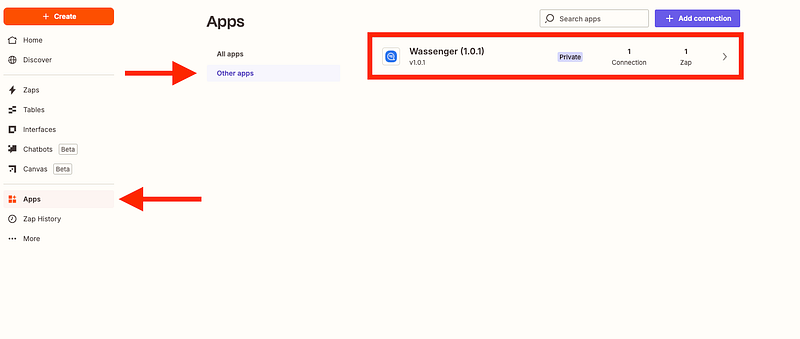
Now that the application is installed, let’s create a new Zap!
🤩 🤖 Wassenger is a complete API solution for WhatsApp. Sign up for a 7-day free trial and get started in minutes!
Step 2: Create a new scenario in Zapier to communicate with Wassenger
Now, we need to create a new Zap from the Zapier app.
- Go to Zaps > Create a new zap
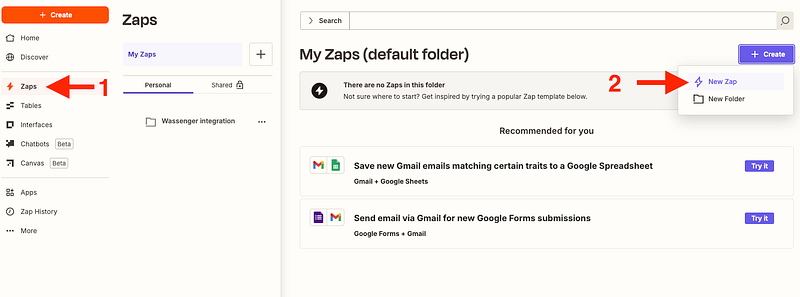
Step 3: Create a new trigger for your new scenario
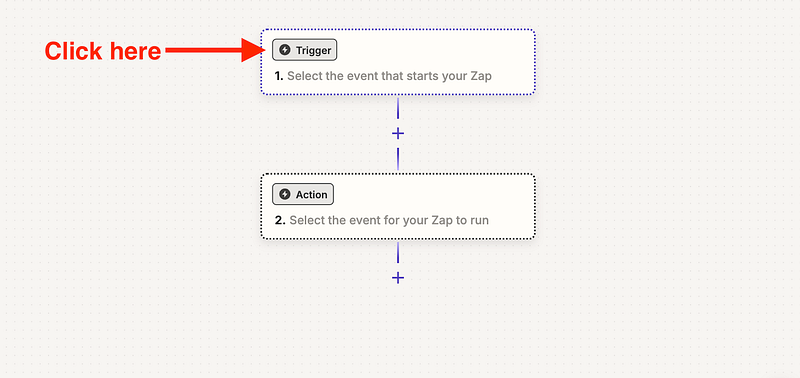
You can connect the trigger to your platform or for example, create a scheduled trigger:

We will click on ‘Test trigger’
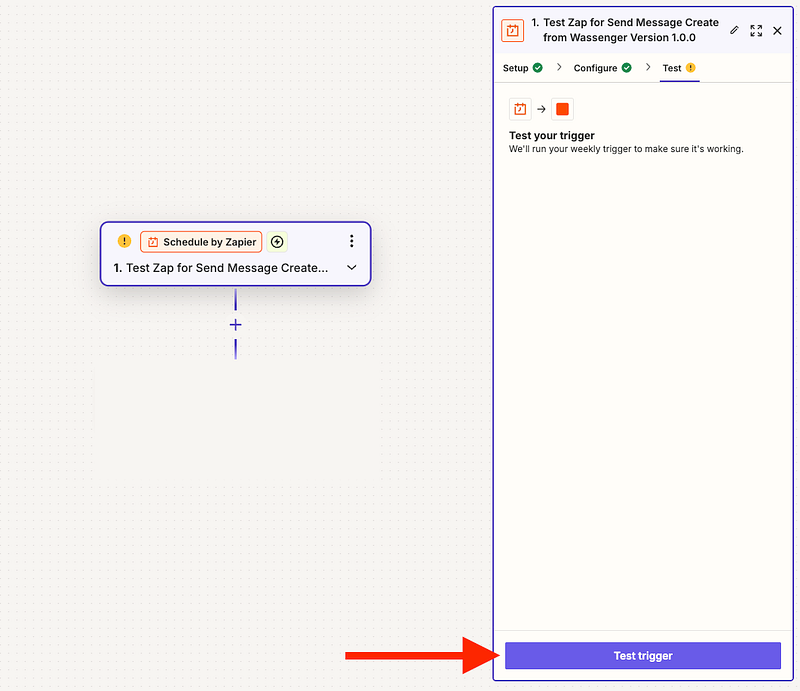
Step 4: Create a message action from Zapier to Wassenger
We will create a new action with the Wassenger app we have just installed
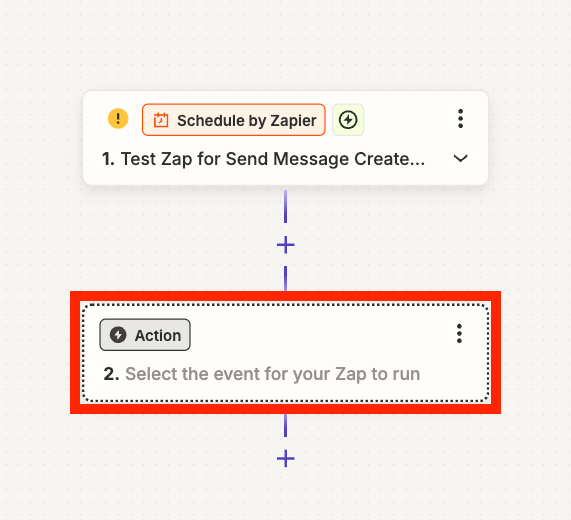
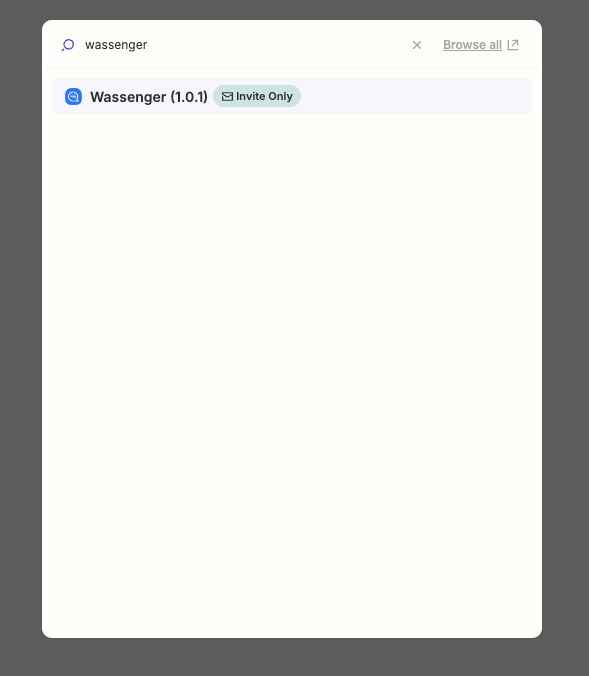
Search for the Wassenger app:
Then click on ‘Action event’ and select ‘Send message’
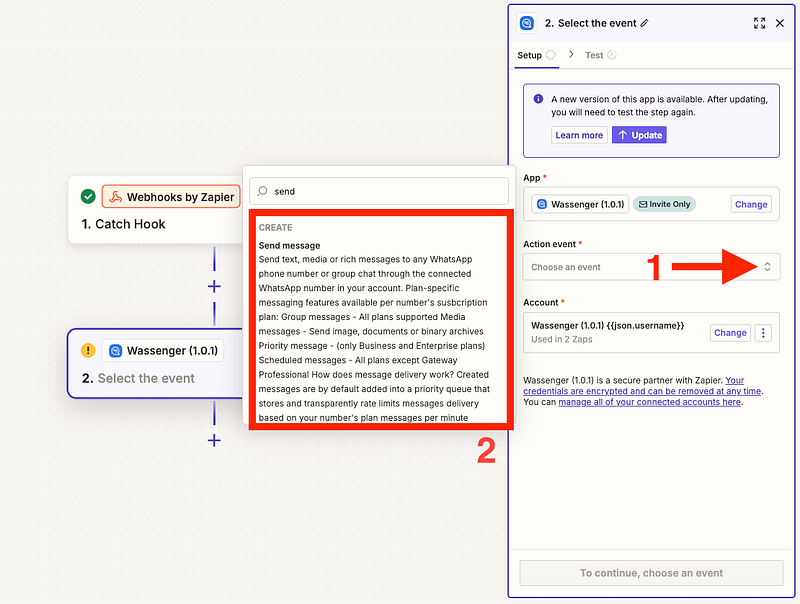
Afterwards, a new panel will show up where we will need to add our Wassenger API key

Then we will add the given Wassenger API key that you can find here
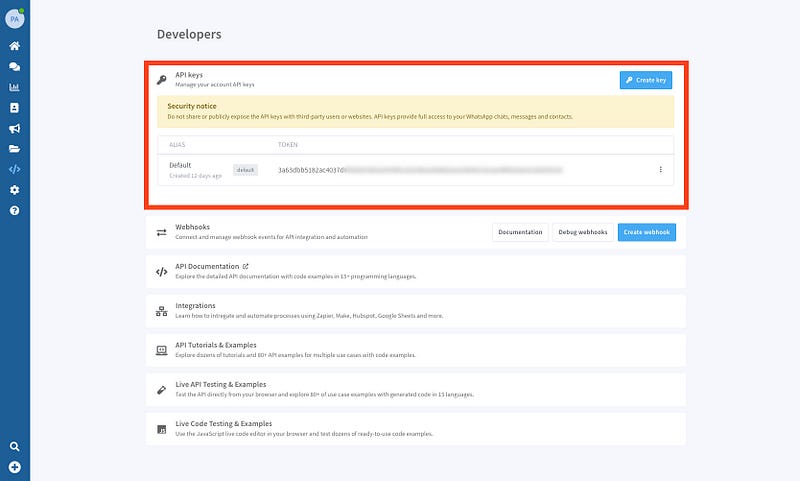
Paste the API key and click Save
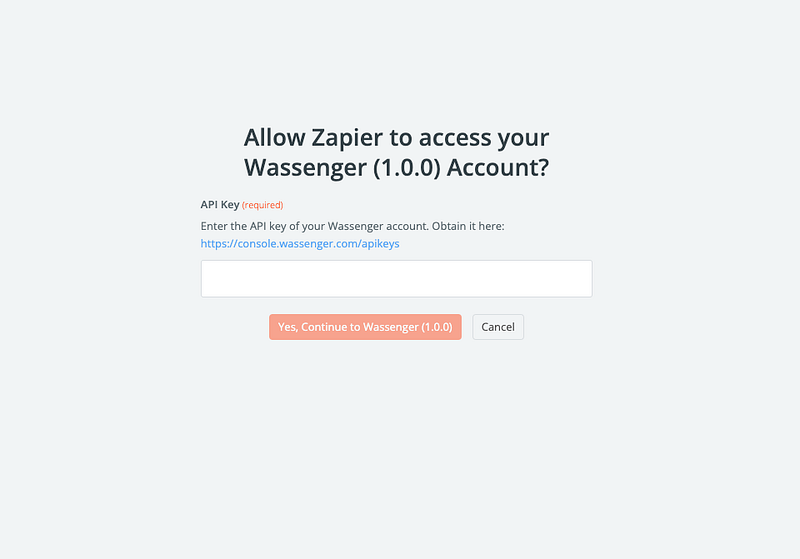
Once you complete this, the connection will be ready to use. But first, we need to set up a few elements like Recipient, Message, and more!
🤩 🤖 Wassenger is a complete API solution for WhatsApp. Sign up for a 7-day free trial and get started in minutes!
Now, we will configure the message delivery by creating the message
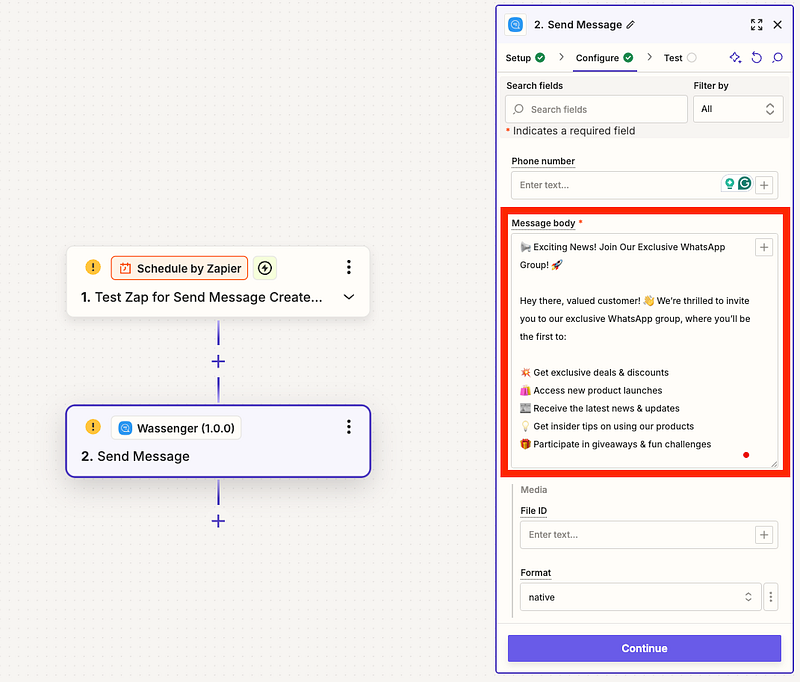
And defining the group we want to send the message to

You can retrieve the available group ID in your device from Web Console > Devices > Device details.

You can also add some media to your messages or apply a time delay:

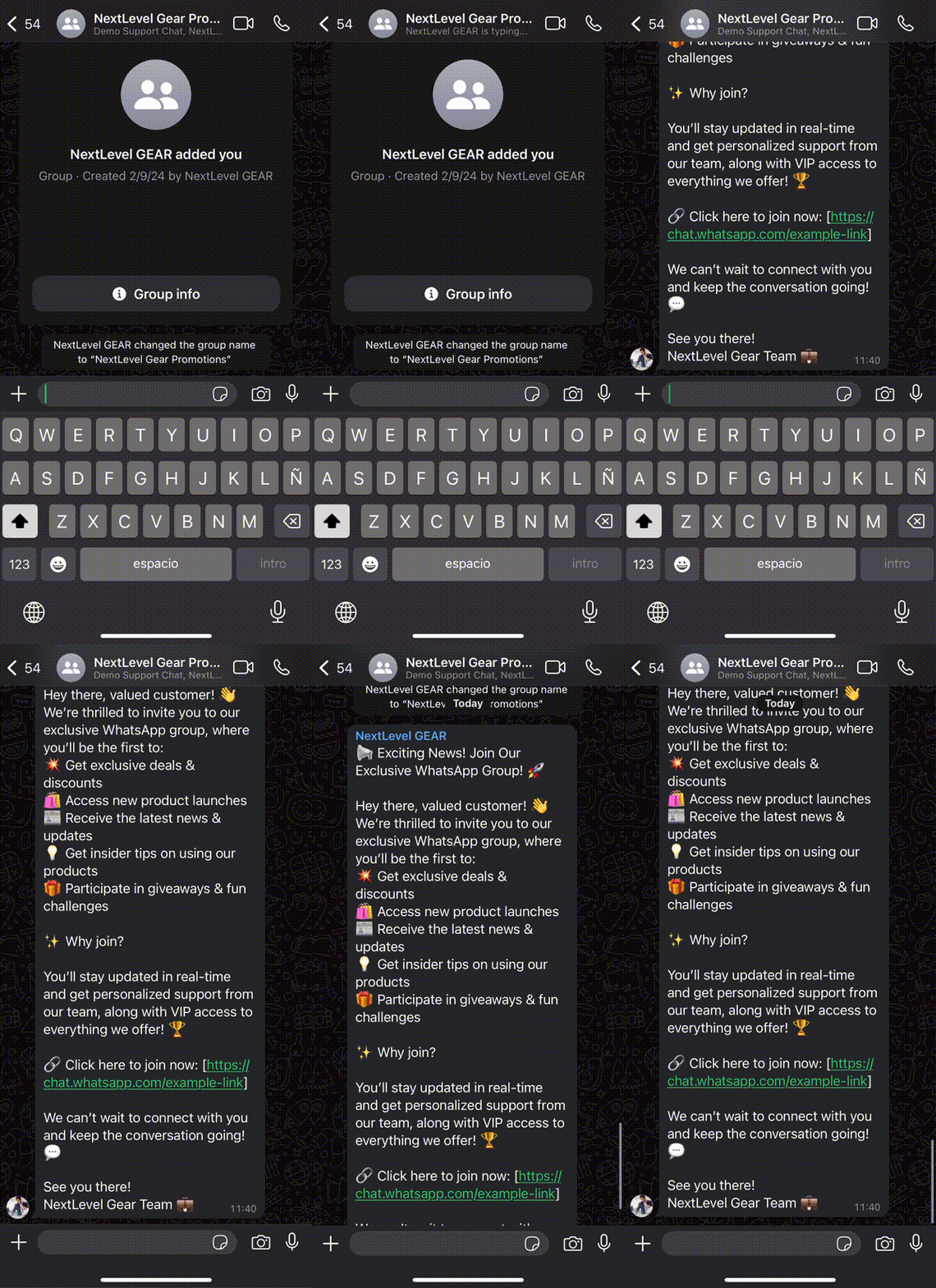
After completing all the steps correctly, it’s time to test our new message automation tool!
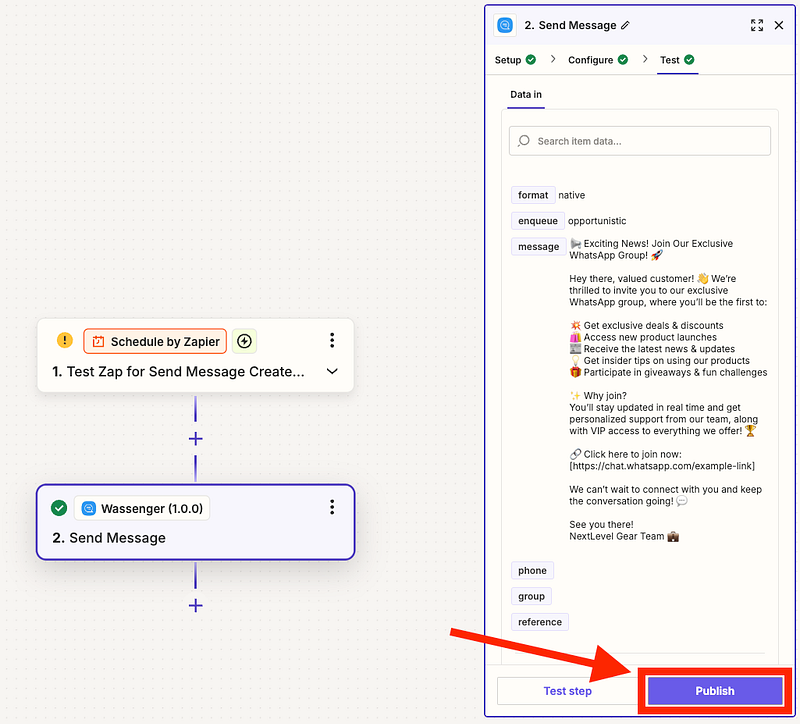
🤩 🤖 Wassenger is a complete API solution for WhatsApp. Sign up for a 7-day free trial and get started in minutes!
With Wassenger and Make, automating your customer interactions on WhatsApp has never been easier. By integrating these powerful tools, you can save time and enhance customer engagement while focusing on growing your business. ⚡
Ready to take the next step? Register now on Wassenger to start automating your WhatsApp messages and explore all the possibilities Make has to offer for your business. 🏆
🌟 Don’t miss the chance to elevate your customer communication and start today with Wassenger! 🚀