Your customers already live on WhatsApp. They read it within minutes, they reply, and they trust it far more than another marketing email. So the question for any online store isn't whether to use WhatsApp — it's how to use it to sell more and support better without hiring a developer or drowning your team in chats.
Here's the short version: to send automatic store messages — order confirmations, cart reminders, shipping updates — you need the WhatsApp Business API, not the free WhatsApp Business app. And the easiest way to set that up is an all-in-one platform that does it for you. This guide explains exactly how it works and how to get started today.
Can you use WhatsApp for your online store?
Yes — and it's one of the highest-return channels you can add. Almost every WhatsApp message gets read, usually within minutes, which is why stores use it for the moments that actually drive revenue: confirming an order, nudging a customer who left without paying, letting people know their package shipped, and answering pre-sale questions before they become lost sales.
There's just one thing to get right first. There are two versions of WhatsApp for business, and only one of them can send these messages automatically.
Do you need the WhatsApp Business API for e-commerce?
Yes. Automatic, store-triggered messages require the WhatsApp Business API. The free WhatsApp Business app is built for a single phone and a person typing by hand — it can't connect to your store, it can't send an order confirmation the moment someone checks out, and it can't be shared cleanly across a team.
Here's the difference in plain terms:
- The free WhatsApp Business app is for one person, one phone. Great for a solo shop replying manually. It can't automate anything or connect to Shopify.
- The WhatsApp Business API is the version that connects to your store. It lets your shop send automatic messages, share one number across your whole team, run campaigns, and add a chatbot — all from a computer.
If you want your store to message customers by itself, you need the API. The good news: you don't set it up alone.
How does an online store get the WhatsApp Business API?
You get it through an approved WhatsApp platform, not directly from Meta. The platform connects your business number to WhatsApp and gives you the software to actually use it — a shared inbox, automation, campaigns, and a place to see all your customers. That's the whole point of an all-in-one platform: it turns a technical setup into a few clicks.
With Wassenger, the path looks like this:
- Create your account and connect your number. You can connect on the official WhatsApp Business API, or connect a standard WhatsApp number to start selling today while your official API application is processed.
- Connect your store — Shopify, WooCommerce, or almost any platform — so it can tell Wassenger when an order is placed or a cart is abandoned.
- Turn on the messages you want using ready-made, no-code automations. No developer required.
That's it. From there, your store runs the flows below on its own.
What can WhatsApp do for a Shopify or e-commerce store?
WhatsApp covers the entire customer journey, from the first question to the review after delivery. These are the flows that pay for themselves:
Order confirmations
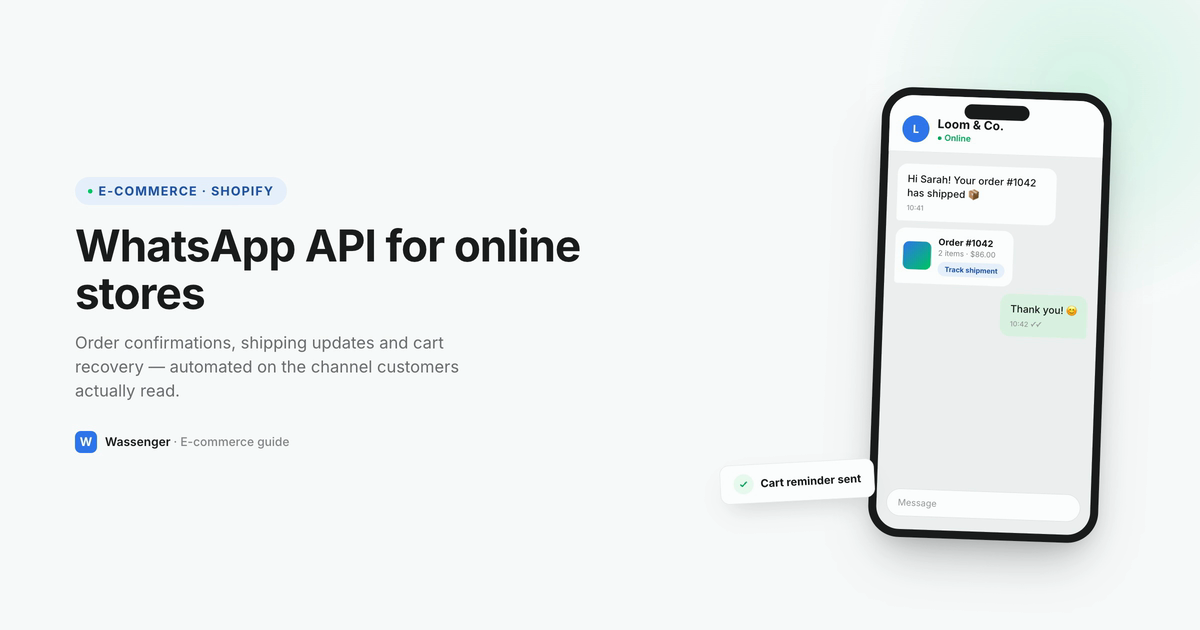
The moment a customer checks out, they get an instant WhatsApp confirmation with their order number and what they bought. It's more reassuring than an email that lands in spam, and it opens a direct line for anything they need next.
Abandoned-cart recovery
Roughly 7 in 10 customers add something to their cart and leave without paying. A short, friendly WhatsApp reminder — "Hi Alex, you left the Merino Wool Jacket behind, here's your link to finish" — brings a real share of them back, because unlike email, it actually gets read. This is usually the single most profitable message a store can turn on.
Shipping and delivery updates
"Your order shipped." "Out for delivery today." "Delivered." Each update lands on WhatsApp where customers see it, which cuts the number one support question every store gets — where is my order? — before anyone has to ask it.
Review and reorder requests
A few days after delivery, WhatsApp asks for a quick review or offers a one-tap reorder. It's a warm, well-timed message on the channel people actually respond to, so you collect more reviews and more repeat purchases with zero manual work.
Customer support
All of it flows into one shared inbox your whole team works from — no more sharing a phone or losing track of who replied. An AI assistant can answer the routine questions (sizing, returns, order status) around the clock, and hand off to a human the moment it's needed.
Do you need a developer to set this up?
No. With an all-in-one platform, every flow above is set up by clicking, not coding. You connect your store once, choose the messages you want to send, and the platform handles the technical side of talking to WhatsApp. A solo founder can have order confirmations and cart recovery live in an afternoon.
And when you do want to go further, the option is there. Wassenger includes a full developer REST API and webhooks, plus native connections to Zapier, Make, and n8n — so you can wire WhatsApp into any custom workflow later, without being forced to start there. That's the best of both worlds: a finished product for store owners today, and room for your developer to build on whenever you're ready. You can compare the options in the WhatsApp Business API providers buyer's guide.
How much does WhatsApp for e-commerce cost?
There are two separate costs, and it helps to see them clearly:
- Meta's message fees. Charged by Meta, based on the type of message and the customer's country. Replies within 24 hours of a customer messaging you are usually free.
- The platform subscription. What you pay for the inbox, automation, and store connection.
The trap to avoid: some platforms advertise a low subscription and then quietly add a markup on top of every single message. At store volumes, that surcharge can quietly become your biggest bill — so always ask to see both numbers separately before you commit. You can check the current model and message rates on the pricing page.
Frequently asked questions
Can I use the free WhatsApp Business app for my online store? Only for manual, one-person replies. It can't connect to Shopify or send automatic order confirmations, cart reminders, or shipping updates. For anything automated, you need the WhatsApp Business API.
Does WhatsApp work with Shopify and WooCommerce? Yes. An all-in-one platform like Wassenger connects to Shopify, WooCommerce, and most other store platforms, so your store can trigger WhatsApp messages for orders and abandoned carts automatically.
Do I need to know how to code? No. Everything is set up by clicking through ready-made, no-code automations. There's also a full REST API and webhooks for when you want deeper, custom integrations — but you don't need them to start.
Will WhatsApp let me message customers about their orders? Yes, with two simple rules: message only customers who opted in (add a WhatsApp checkbox at checkout), and always stop when someone replies STOP. Order updates and confirmations are exactly what the API is designed for.
How fast can I get started? The same day. Connecting a standard WhatsApp number is the fastest way to be live while your official API application is processed, so you can start selling right away and switch over when it's approved.
The short version
Your customers want to hear from you on WhatsApp — the channel they actually read. To confirm orders, win back abandoned carts, send shipping updates, and support customers automatically, you need the WhatsApp Business API, and the easiest way to set it up without a developer is an all-in-one platform. That's exactly what Wassenger is built for: official API (with the option to connect a standard number to start today), a shared team inbox, no-code automation, an AI assistant, campaigns, a built-in CRM, a full developer API, and a white-label reseller program — live in minutes.