Continuing our Wassenger Webhook article series (discover more here), where we talk about the importance of managing webhooks to handle your customer communication on WhatsApp. We want to introduce how groups combined with webhooks can be crucial for businesses. Webhooks offer a handy and efficient way to achieve this by implementing event observability and integration in software systems.
In essence, webhooks provide a communication mechanism where a server-side application can notify a third-party server-side application when a new event occurs in your WhatsApp groups. This could be a new message, a new member joining, or any other significant activity your business needs to track and respond to promptly.
🤩 🤖 Wassenger is a complete API solution for WhatsApp. Sign up for a 7-day free trial and get started in minutes!
For companies that need to keep their WhatsApp groups well-managed, this means real-time updates and streamlined operations. With Wassenger, you can automate responses, keep track of group activities, and ensure that your team is always informed and ready to act. This leads to improved efficiency, better communication, and ultimately, a more responsive and agile business environment.
🤩 🤖 Wassenger is a complete communication platform and API solution for WhatsApp. Explore more than 100+ API use cases and automate anything on WhatsApp by signing up for a free trial and getting started in minutes!
Webhooks can operate with any software no matter the language you use, as the common protocol would be HTTP(S) for communication and JSON format for data serialization.
Useful resources
- API documentation for Webhooks
- Introduction to Webhooks
- Webhook Free Service for Testing & Debugging
- Expose your local server to the Internet using Ngrok
- Handling Webhook Requests in PHP
- Webhook server in Go
For production integrations, it is required to use HTTPS instead of HTTP since communication would be end-to-end secure and encrypted.
When a group is updated 🔗
Event: group:update
This event is notified when some event occurs inside a group chat. Limited to the number of subscriptions with a Platform plan.
Note: some events are only notified when your number is an administrator in the specific group.
Here is the list of the supported event actions for group chats:
create: a new group is createddelete: group is deletedleave: your number left the groupsubject: group subject is updatedpicture: group profile picture is updateddescription: group description is updatedadd: new participant(s) added (only group admins are notified)remove: new participant(s) removed (only group admins are notified)demote: participant(s) permissions demoted from administrator to regular participant (only group admins are notified)promote: participant(s) permissions promoted from regular participant to administrator (only group admins are notified)restrict: group edition permissions updated: only admins, participants, or both, can edit the group information (seevalue=booleanfield)announce: group send message permissions updated: only admins, participants, or both can send messages (seevalue=booleanfield)modify: group settings updatedephemeral: group ephemeral messages time updated (seedata.chat.meta.ephemeralseconds)invite: a new group invitation code was created and the previous one revokedrevoke_invite: previous invitation code was revokedmembership_approval_mode: group participants' membership approval settings updated (toggle on/off)membership_approval_request: new group participant membership request received that requires manual approval by an administratorcreated_membership_requests: group membership approval createdephemeral_keep_in_chat: group ephemeral messages kept in chat settings updateddefault_sub_group_promote: participant(s) in a community default group promoted from regular participant to the administrator (only group admins are notified)default_sub_group_demote: participant(s) in a community default group promoted from regular participant to the administrator (only group admins are notified)community_create: a new community group created (only group admins are notified)invite_auto_add: group invitation code for automatic membership is added (only group admins are notified)linked_group_join: an existing group joins an existing community (only group admins are notified)parent_group_link: an existing group joins an existing community (only group admins are notified)parent_group_link_membership_approval: Community participants' membership approval settings updated (only group admins are notified)delete_parent_group: The community of which the group is part has been deleted (only group admins are notified)delete_parent_group_unlink: community on which the was group part of has been unlinked from the community (only group admins are notified)default_sub_group_admin_add: default community group adds a new administrator (only group admins are notified)community_link_parent_group_rich:allow_non_admin_sub_group_creation: permissions updated allowing non-admin participants in a community to create sub-groups within that community (only group admins are notified)
We will show you some examples of the webhook events:
When a participant is added to the group
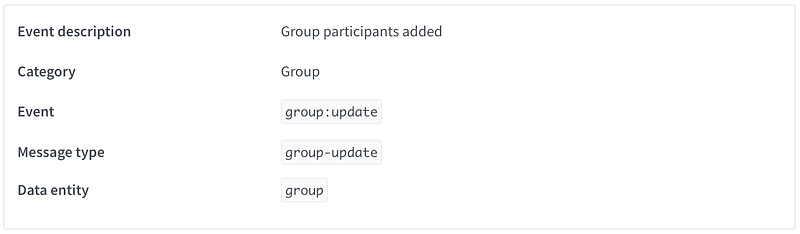
{
  "id": "3EB03EBAF8863BE",
  "object": "message",
  "event": "group:update",
  "action": "add",
  "created": 17211094,
  "description": "Group participant(s) added",
  "author": "+12345678909",
  "participants": ["+1234567890", "+1987654321"],
  "device": {
    "id": "61b37a069cba0c15d6",
    "phone": "+1234567890",
    "alias": "Marketing",
    "plan": "io-enterprise",
    "version": 1
  },
  "data": {
    "id": "3EB03EBAF8863BE7",
    "type": "text",
    "flow": "inbound",
    "status": "active",
    "ack": "delivered",
    "from": "1234567890@c.us",
    "fromNumber": "+1234567890",
    "to": "12001234590541@g.us",
    "date": "2024-07-16T20:00:00.000Z",
    "timestamp": 1721109,
    "body": "This is a sample inbound text message webhook event",
    "chat": {
      "id": "120012345905@g.us",
      "name": "Group Name",
      "date": "2024-07-16T20:00:00.000Z",
      "type": "group",
      "status": "active",
      "waStatus": "active",
      "statusUpdatedAt": "2024-07-16T08:40:45.722Z",
      "deletedAt": "2024-07-16T13:28:25.033Z",
      "firstMessageAt": "2024-07-16T10:59:08.000Z",
      "lastMessageAt": "2024-07-16T20:00:00.000Z",
      "lastOutboundMessageAt": "2024-07-16T20:00:00.000Z",
      "lastInboundMessageAt": "2024-07-16T22:00:00.000Z",
      "lastReactionAt": "2024-07-16T03:00:13.662Z",
      "lastReactionEmoji": "👍",
      "lastAutoReply": null,
      "lastAutoReplyAt": null,
      "stats": {
        "notes": 0,
        "localMessages": 51,
        "inboundMessages": 0,
        "outboundMessages": 0
      },
      "labels": ["sales", "new-customer"],
      "owner": {
        "agent": "5f71e36254800f533ab",
        "assigner": "5f71e36254800f533ab",
        "assignedAt": "2024-07-16T16:51:14.439",
        "autoAssignAgent": "5f71e36254800f533ab",
        "autoAssignedAt": "2024-07-16T16:51:14.439"
      },
      "contact": {
        "wid": "1234567890@c.us",
        "name": "Group Name",
        "shortName": "Group Name",
        "displayName": "Group Name",
        "formattedName": "Group Name",
        "formattedShortName": "Group Name",
        "syncedAt": "2024-07-16T21:47:03.206Z",
        "groupId": "1200123459054",
        "image": {
          "url": "https://pps.whatsapp.net/v/t61.1111-1/1234567_1234567_1234567_n.jpg?oe=1234567&oh=12345671234567123456"
        }
      },
      "group": {
        "description": "This is a group sample description",
        "date": "2024-07-16T10:51:14.439",
        "community": "12001234590541@g.us",
        "isCommunityAnnounce": false,
        "imageUrl": "https://pps.whatsapp.net/v/t61.1111-1/1234567_1234567_1234567_n.jpg?oe=1234567&oh=12345671234567123456",
        "announce": false,
        "restrict": false,
        "membershipApproval": false,
        "totalParticipants": 298
      }
    },
    "events": {
      "sent": {
        "date": "2024-07-16T12:00:00.000Z"
      }
    },
    "meta": {
      "rtl": false,
      "containsEmoji": false,
      "isGif": false,
      "isStar": false,
      "isGroup": false,
      "isForwarded": false,
      "isEphemeral": false,
      "isNotification": false,
      "isLive": false,
      "isBroadcast": false,
      "isBizNotification": false,
      "isDoc": false,
      "isLinkPreview": false,
      "isPSA": false,
      "isRevoked": false,
      "isUnreadType": false,
      "isFailed": false,
      "source": "android",
      "autoReply": null,
      "isFirstMessage": false
    }
  }
}
When a participant is removed from the group
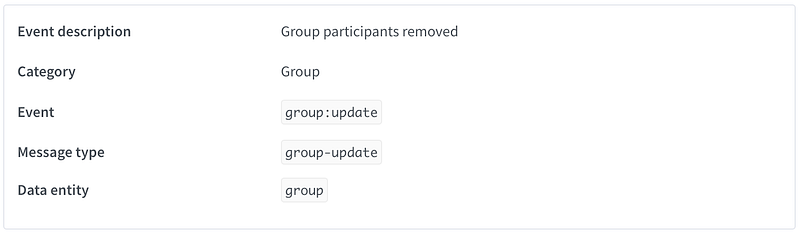
{
  "id": "3EB03EBAF8863BE70",
  "object": "message",
  "event": "group:update",
  "action": "remove",
  "created": 1721661487,
  "description": "Group participant(s) removed",
  "author": "+1234567891",
  "participants": ["+1234567890", "+1987654321"],
  "device": {
    "id": "61b37a069cba0c15d",
    "phone": "+1234567891",
    "alias": "Marketing",
    "plan": "io-enterprise",
    "version": 1
  },
  "data": {
    "id": "3EB03EBAF8863BE7",
    "type": "text",
    "flow": "inbound",
    "status": "active",
    "ack": "delivered",
    "from": "1234567890@c.us",
    "fromNumber": "+1234567890",
    "to": "1200123459054@g.us",
    "date": "2024-07-22T20:00:00.000Z",
    "timestamp": 1721661,
    "body": "This is a sample inbound text message webhook event",
    "chat": {
      "id": "1200123459054@g.us",
      "name": "Group Name",
      "date": "2024-07-22T20:00:00.000Z",
      "type": "group",
      "status": "active",
      "waStatus": "active",
      "statusUpdatedAt": "2024-07-22T08:40:45.722Z",
      "deletedAt": "2024-07-22T13:28:25.033Z",
      "firstMessageAt": "2024-07-22T10:59:08.000Z",
      "lastMessageAt": "2024-07-22T20:00:00.000Z",
      "lastOutboundMessageAt": "2024-07-22T20:00:00.000Z",
      "lastInboundMessageAt": "2024-07-22T22:00:00.000Z",
      "lastReactionAt": "2024-07-22T03:00:13.662Z",
      "lastReactionEmoji": "👍",
      "lastAutoReply": null,
      "lastAutoReplyAt": null,
      "stats": {
        "notes": 0,
        "localMessages": 51,
        "inboundMessages": 0,
        "outboundMessages": 0
      },
      "labels": ["sales", "new-customer"],
      "owner": {
        "agent": "5f71e36254800f533a",
        "assigner": "5f71e36254800f533a",
        "assignedAt": "2024-07-22T16:51:14.439",
        "autoAssignAgent": "5f71e36254800f533a",
        "autoAssignedAt": "2024-07-22T16:51:14.439"
      },
      "contact": {
        "wid": "1234567890@c.us",
        "name": "Group Name",
        "shortName": "Group Name",
        "displayName": "Group Name",
        "formattedName": "Group Name",
        "formattedShortName": "Group Name",
        "syncedAt": "2024-07-22T21:47:03.206Z",
        "groupId": "1200123459054",
        "image": {
          "url": "https://pps.whatsapp.net/v/t61.1111-1/1234567_1234567_1234567_n.jpg?oe=1234567&oh=12345671234567123456"
        }
      },
      "group": {
        "description": "This is a group sample description",
        "date": "2024-07-22T10:51:14.439",
        "community": "1200123459054@g.us",
        "isCommunityAnnounce": false,
        "imageUrl": "https://pps.whatsapp.net/v/t61.1111-1/1234567_1234567_1234567_n.jpg?oe=1234567&oh=12345671234567123456",
        "announce": false,
        "restrict": false,
        "membershipApproval": false,
        "totalParticipants": 298
      }
    },
    "events": {
      "sent": {
        "date": "2024-07-22T12:00:00.000Z"
      }
    },
    "meta": {
      "rtl": false,
      "containsEmoji": false,
      "isGif": false,
      "isStar": false,
      "isGroup": false,
      "isForwarded": false,
      "isEphemeral": false,
      "isNotification": false,
      "isLive": false,
      "isBroadcast": false,
      "isBizNotification": false,
      "isDoc": false,
      "isLinkPreview": false,
      "isPSA": false,
      "isRevoked": false,
      "isUnreadType": false,
      "isFailed": false,
      "source": "android",
      "autoReply": null,
      "isFirstMessage": false
    }
  }
}
🤩 🤖 Wassenger is a complete communication platform and API solution for WhatsApp. Explore more than 100+ API use cases and automate anything on WhatsApp by signing up for a free trial and getting started in minutes!
When a group subject is updated
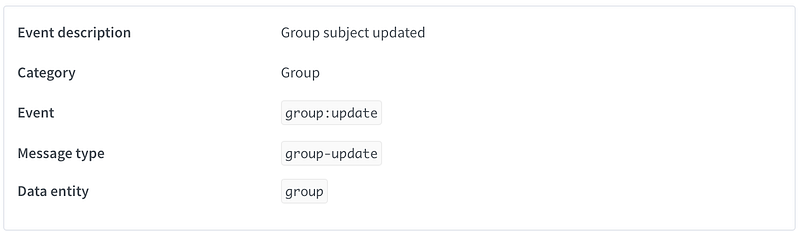
{
  "id": "3EB03EBAF8863BE7",
  "object": "message",
  "event": "group:update",
  "action": "subject",
  "created": 17216614,
  "author": "+1234567891",
  "description": "Group subject updated",
  "device": {
    "id": "61b37a069cba0c15d6c897",
    "phone": "+1234567891",
    "alias": "Marketing",
    "plan": "io-enterprise",
    "version": 1
  },
  "data": {
    "id": "3EB03EBAF8863BE7",
    "type": "text",
    "flow": "inbound",
    "status": "active",
    "ack": "delivered",
    "from": "1234567890@c.us",
    "fromNumber": "+1234567890",
    "to": "120012345905412345@g.us",
    "date": "2024-07-22T20:00:00.000Z",
    "timestamp": 1721661,
    "body": "This is a sample inbound text message webhook event",
    "chat": {
      "id": "12001234590541@g.us",
      "name": "Group Name",
      "date": "2024-07-22T20:00:00.000Z",
      "type": "group",
      "status": "active",
      "waStatus": "active",
      "statusUpdatedAt": "2024-07-22T08:40:45.722Z",
      "deletedAt": "2024-07-22T13:28:25.033Z",
      "firstMessageAt": "2024-07-22T10:59:08.000Z",
      "lastMessageAt": "2024-07-22T20:00:00.000Z",
      "lastOutboundMessageAt": "2024-07-22T20:00:00.000Z",
      "lastInboundMessageAt": "2024-07-22T22:00:00.000Z",
      "lastReactionAt": "2024-07-22T03:00:13.662Z",
      "lastReactionEmoji": "👍",
      "lastAutoReply": null,
      "lastAutoReplyAt": null,
      "stats": {
        "notes": 0,
        "localMessages": 51,
        "inboundMessages": 0,
        "outboundMessages": 0
      },
      "labels": ["sales", "new-customer"],
      "owner": {
        "agent": "5f71e36254800f533a",
        "assigner": "5f71e36254800f533a",
        "assignedAt": "2024-07-22T16:51:14.439",
        "autoAssignAgent": "5f71e36254800f533a",
        "autoAssignedAt": "2024-07-22T16:51:14.439"
      },
      "contact": {
        "wid": "1234567890@c.us",
        "name": "Group Name",
        "shortName": "Group Name",
        "displayName": "Group Name",
        "formattedName": "Group Name",
        "formattedShortName": "Group Name",
        "syncedAt": "2024-07-22T21:47:03.206Z",
        "groupId": "12001234590541",
        "image": {
          "url": "https://pps.whatsapp.net/v/t61.1111-1/1234567_1234567_1234567_n.jpg?oe=1234567&oh=12345671234567123456"
        }
      },
      "group": {
        "description": "This is a group sample description",
        "date": "2024-07-22T10:51:14.439",
        "community": "12001234590541@g.us",
        "isCommunityAnnounce": false,
        "imageUrl": "https://pps.whatsapp.net/v/t61.1111-1/1234567_1234567_1234567_n.jpg?oe=1234567&oh=12345671234567123456",
        "announce": false,
        "restrict": false,
        "membershipApproval": false,
        "totalParticipants": 298
      }
    },
    "events": {
      "sent": {
        "date": "2024-07-22T12:00:00.000Z"
      }
    },
    "meta": {
      "rtl": false,
      "containsEmoji": false,
      "isGif": false,
      "isStar": false,
      "isGroup": false,
      "isForwarded": false,
      "isEphemeral": false,
      "isNotification": false,
      "isLive": false,
      "isBroadcast": false,
      "isBizNotification": false,
      "isDoc": false,
      "isLinkPreview": false,
      "isPSA": false,
      "isRevoked": false,
      "isUnreadType": false,
      "isFailed": false,
      "source": "android",
      "autoReply": null,
      "isFirstMessage": false
    }
  }
}
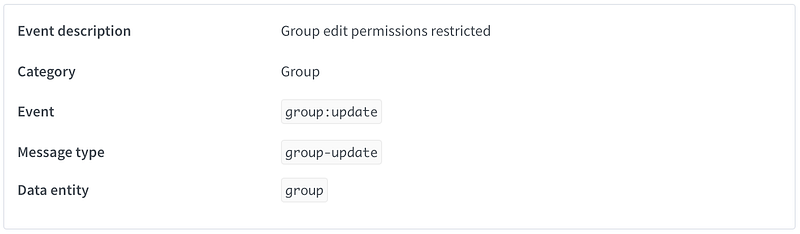
When the group edit permissions are restricted to only administrators
{
  "id": "3EB03EBAF8863BE70",
  "object": "message",
  "event": "group:update",
  "action": "restrict",
  "created": 17216614,
  "value": true,
  "author": "+12345678901",
  "description": "Group settings permissions were updated: only admins can edit the group information",
  "device": {
    "id": "61b37a069cba0c15d6c7",
    "phone": "+12345678901",
    "alias": "Marketing",
    "plan": "io-enterprise",
    "version": 1
  },
  "data": {
    "id": "3EB03EBAF8863BE70",
    "type": "text",
    "flow": "inbound",
    "status": "active",
    "ack": "delivered",
    "from": "1234567890@c.us",
    "fromNumber": "+1234567890",
    "to": "120012345905412@g.us",
    "date": "2024-07-22T20:00:00.000Z",
    "timestamp": 17216616,
    "body": "This is a sample inbound text message webhook event",
    "chat": {
      "id": "12001234590541@g.us",
      "name": "Group Name",
      "date": "2024-07-22T20:00:00.000Z",
      "type": "group",
      "status": "active",
      "waStatus": "active",
      "statusUpdatedAt": "2024-07-22T08:40:45.722Z",
      "deletedAt": "2024-07-22T13:28:25.033Z",
      "firstMessageAt": "2024-07-22T10:59:08.000Z",
      "lastMessageAt": "2024-07-22T20:00:00.000Z",
      "lastOutboundMessageAt": "2024-07-22T20:00:00.000Z",
      "lastInboundMessageAt": "2024-07-22T22:00:00.000Z",
      "lastReactionAt": "2024-07-22T03:00:13.662Z",
      "lastReactionEmoji": "👍",
      "lastAutoReply": null,
      "lastAutoReplyAt": null,
      "stats": {
        "notes": 0,
        "localMessages": 51,
        "inboundMessages": 0,
        "outboundMessages": 0
      },
      "labels": ["sales", "new-customer"],
      "owner": {
        "agent": "5f71e36254800f533ab",
        "assigner": "5f71e36254800f533ab",
        "assignedAt": "2024-07-22T16:51:14.439",
        "autoAssignAgent": "5f71e36254800f533ab",
        "autoAssignedAt": "2024-07-22T16:51:14.439"
      },
      "contact": {
        "wid": "1234567890@c.us",
        "name": "Group Name",
        "shortName": "Group Name",
        "displayName": "Group Name",
        "formattedName": "Group Name",
        "formattedShortName": "Group Name",
        "syncedAt": "2024-07-22T21:47:03.206Z",
        "groupId": "12001234590541",
        "image": {
          "url": "https://pps.whatsapp.net/v/t61.1111-1/1234567_1234567_1234567_n.jpg?oe=1234567&oh=12345671234567123456"
        }
      },
      "group": {
        "description": "This is a group sample description",
        "date": "2024-07-22T10:51:14.439",
        "community": "12001234590541@g.us",
        "isCommunityAnnounce": false,
        "imageUrl": "https://pps.whatsapp.net/v/t61.1111-1/1234567_1234567_1234567_n.jpg?oe=1234567&oh=12345671234567123456",
        "announce": false,
        "restrict": false,
        "membershipApproval": false,
        "totalParticipants": 298
      }
    },
    "events": {
      "sent": {
        "date": "2024-07-22T12:00:00.000Z"
      }
    },
    "meta": {
      "rtl": false,
      "containsEmoji": false,
      "isGif": false,
      "isStar": false,
      "isGroup": false,
      "isForwarded": false,
      "isEphemeral": false,
      "isNotification": false,
      "isLive": false,
      "isBroadcast": false,
      "isBizNotification": false,
      "isDoc": false,
      "isLinkPreview": false,
      "isPSA": false,
      "isRevoked": false,
      "isUnreadType": false,
      "isFailed": false,
      "source": "android",
      "autoReply": null,
      "isFirstMessage": false
    }
  }
}
🤩 🤖 Wassenger is a complete communication platform and API solution for WhatsApp. Explore more than 100+ API use cases and automate anything on WhatsApp by signing up for a free trial and getting started in minutes!
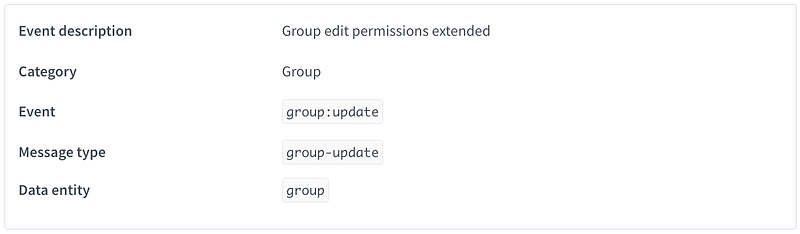
When the group edit permissions restriction is removed and all participants can edit it
{
  "id": "3EB03EBAF8863BE7",
  "object": "message",
  "event": "group:update",
  "action": "restrict",
  "created": 17216614,
  "value": false,
  "author": "+12345678909",
  "description": "Group settings permissions were updated: all participants can edit the group information",
  "device": {
    "id": "61b37a069cba0c15d6c",
    "phone": "+12345678909",
    "alias": "Marketing",
    "plan": "io-enterprise",
    "version": 1
  },
  "data": {
    "id": "3EB03EBAF8863BE7",
    "type": "text",
    "flow": "inbound",
    "status": "active",
    "ack": "delivered",
    "from": "1234567890@c.us",
    "fromNumber": "+1234567890",
    "to": "120012345905412@g.us",
    "date": "2024-07-22T20:00:00.000Z",
    "timestamp": 17216614,
    "body": "This is a sample inbound text message webhook event",
    "chat": {
      "id": "12001234590541@g.us",
      "name": "Group Name",
      "date": "2024-07-22T20:00:00.000Z",
      "type": "group",
      "status": "active",
      "waStatus": "active",
      "statusUpdatedAt": "2024-07-22T08:40:45.722Z",
      "deletedAt": "2024-07-22T13:28:25.033Z",
      "firstMessageAt": "2024-07-22T10:59:08.000Z",
      "lastMessageAt": "2024-07-22T20:00:00.000Z",
      "lastOutboundMessageAt": "2024-07-22T20:00:00.000Z",
      "lastInboundMessageAt": "2024-07-22T22:00:00.000Z",
      "lastReactionAt": "2024-07-22T03:00:13.662Z",
      "lastReactionEmoji": "👍",
      "lastAutoReply": null,
      "lastAutoReplyAt": null,
      "stats": {
        "notes": 0,
        "localMessages": 51,
        "inboundMessages": 0,
        "outboundMessages": 0
      },
      "labels": ["sales", "new-customer"],
      "owner": {
        "agent": "5f71e36254800f533ab",
        "assigner": "5f71e36254800f533ab",
        "assignedAt": "2024-07-22T16:51:14.439",
        "autoAssignAgent": "5f71e36254800f533ab",
        "autoAssignedAt": "2024-07-22T16:51:14.439"
      },
      "contact": {
        "wid": "1234567890@c.us",
        "name": "Group Name",
        "shortName": "Group Name",
        "displayName": "Group Name",
        "formattedName": "Group Name",
        "formattedShortName": "Group Name",
        "syncedAt": "2024-07-22T21:47:03.206Z",
        "groupId": "12001234590541",
        "image": {
          "url": "https://pps.whatsapp.net/v/t61.1111-1/1234567_1234567_1234567_n.jpg?oe=1234567&oh=12345671234567123456"
        }
      },
      "group": {
        "description": "This is a group sample description",
        "date": "2024-07-22T10:51:14.439",
        "community": "120012345905412345@g.us",
        "isCommunityAnnounce": false,
        "imageUrl": "https://pps.whatsapp.net/v/t61.1111-1/1234567_1234567_1234567_n.jpg?oe=1234567&oh=12345671234567123456",
        "announce": false,
        "restrict": false,
        "membershipApproval": false,
        "totalParticipants": 298
      }
    },
    "events": {
      "sent": {
        "date": "2024-07-22T12:00:00.000Z"
      }
    },
    "meta": {
      "rtl": false,
      "containsEmoji": false,
      "isGif": false,
      "isStar": false,
      "isGroup": false,
      "isForwarded": false,
      "isEphemeral": false,
      "isNotification": false,
      "isLive": false,
      "isBroadcast": false,
      "isBizNotification": false,
      "isDoc": false,
      "isLinkPreview": false,
      "isPSA": false,
      "isRevoked": false,
      "isUnreadType": false,
      "isFailed": false,
      "source": "android",
      "autoReply": null,
      "isFirstMessage": false
    }
  }
}
FAQ
Can I use the API to create and manage webhooks?
Of course, you can. Please check the API documentation for more details.
Can I use a local server for development and testing?
Yes, you can. To allow Wassenger to communicate with your local development server from the Internet, you need to create a tunnel.
There are multiple solutions out there, but a popular, free one is Ngrok.
Find below a tutorial about how to use Ngrok:
Can I use a free webhook service for testing?
Yes, we recommend using Pipedream’s free service for webhooks testing and debugging.
Can I use webhooks with Zapier or Make integration hubs?
Yes, you can! Zapier and Make (formerly Integromat) works great with webhooks.
Here are some useful tutorials to get started:
When a webhook event notification is considered successful or failed?
Your webhook consumer server must process the HTTP request and reply with a successful status code (2xx).
- ✅ A notification is successful when your server replies with a 2xx HTTP status code (200-299). The response body can be empty, for example with a
204status code. - ✅ Reply within 30 seconds. Depending on the event, the system stops waiting after 30 or 45 seconds and counts the attempt as failed.
- ✅ Any other status code counts as a failed attempt, including 4xx and 5xx codes.
- ✅ Redirects (3xx) are not followed and count as a failed attempt, so register the final URL of your endpoint. Some events are sent with a trailing slash added to a URL that has no query string (
https://example.com/hookis called ashttps://example.com/hook/), so make sure your server answers that path without redirecting. - ✅ A connection that cannot be established, for example because the domain does not resolve or the connection is refused, counts as a failed attempt.
- ✅ Which failed notifications are retried, and when a webhook that keeps failing is disabled, is explained below in "What happens in case of notification failure?" and "When is a webhook disabled?".
What is the webhook notification timeout?
Our system will make an HTTP request to the remote endpoint URL you provide every time a new message/device event happens.
Information will be encoded in JSON format as part of the HTTP body data.
Your server must accept and read the body of the HTTP POST request and process it accordingly.
Your server should reply with a 2xx HTTP status code (200-299) within 30 seconds. Otherwise, the notification counts as failed; see below for which events are retried and how.
How data will be sent to my server?
The system sends HTTP(S) POST requests with a JSON-encoded body (Content-Type = application/json)
How to implement a webhooks server?
This depends on the technology/programming language you use, but there are plenty of options here.
You simply need an HTTP(S) server running accessible from the Internet that can handle HTTP POST incoming requests.
Take a look at these resources for additional information:
- Introduction to Webhooks 📈
- Another introduction to Webhooks 🔗
- Webhook Free Service for Testing & Debugging 🧪
- Expose your local server to the Internet using Ngrok 🖥️
- Handling Webhook Requests in PHP 💻
- Webhook server in Go 🧑💻
Is there a webhook events limit?
No, there is no limit. Typically, there is one webhook event notified per received or sent WhatsApp message.
You can receive messages with no limit. The system will notify your webhook endpoint of up to 5 messages per second.
If you receive messages faster than that, the system will queue them and notify them as soon as possible.
Note that media messages take a bit longer to be processed than text messages due to file content downloading and storage.
What’s the webhook event delivery speed?
On average, you can expect to receive a webhook event per WhatsApp number with a delay of 500-1000 milliseconds since the time the message was received on your WhatsApp number, plus the time your system can process the webhook event.
Note this applies to text messages. For multimedia messages, the message processing would take a bit longer due to file downloading and storage, from 1 extra second up to 10 seconds, depending on the size of the media file received.
How to secure a webhook server?
First, we strongly recommend using HTTPS (HTTP + TLS encryption) on your server.
Secondly, you can use a custom URL query param with a secret private key.
Example: [https://mycompany.com/webhooks?key=some-secret-token-here](https://mycompany.com/webhooks?key=some-secret-token-here)
How many JSON objects are included per HTTP request body?
This depends on the webhook event notified to your server.
For the following webhook events, the JSON payload sent to your server is a single object, not an array:
message:in:newmessage:out:newmessage:out:ack
For the following webhook events, a maximum of 20 objects can be sent per HTTP POST request:
message:out:failedmessage:out:sent: legacy event, only available in Gateway plans
🤩 🤖 Wassenger is a complete API solution for WhatsApp. Sign up for a 7-day free trial and get started in minutes!
What happens in case of notification failure?
The failed notifications below are retried, depending on the event and on the type of WhatsApp number. Events not listed here may not be retried.
message:in:newandmessage:out:ackon QR numbers: the event stays pending and is sent again on each pass, every one to two minutes, until it is delivered or the message is 7 days old (5 days for read receipts).message:out:failed(and the legacymessage:out:sentof Gateway plans) for messages sent through the API on QR numbers: retried after 30 seconds, then waiting twice as long each time, up to 15 minutes between retries, until it is delivered or 7 days have passed since the message was sent or failed.- Message events on WhatsApp Business API numbers, including Coexistence numbers: each delivery makes up to 4 attempts, 3 seconds apart (only one if your server answers with a 3xx or 4xx code, its domain does not resolve or the connection is refused). If they all fail, the event is retried up to 25 more times: first after 7.5 seconds, then waiting 1.5 times longer each time, up to 10 minutes between retries. About 2 hours and 40 minutes after the first failure, the event is dropped.
number:session,chat:updateandcontact:update: up to 4 attempts, a few seconds apart (only one if your server answers with a 3xx or 4xx code, its domain does not resolve or the connection is refused). If they all fail, the event is dropped.
For the message events above, a 4xx response is retried like any other failure: it only cuts the quick attempts short. The same event can reach your server more than once, for example when your server processed it but replied too late, so make sure your server can handle duplicates.
When is a webhook disabled?
Failed deliveries are counted per webhook. The count goes up at most once every 2 minutes, by the number of failures reported at that moment. That is usually one, so reaching 60 takes about 2 hours of continuous failures. A busy QR number is different: it can report up to 35 failures at once, so its webhook can be disabled after only a few minutes of failures. On QR numbers, a connection that is refused or reset is retried but not counted, so it never disables the webhook.
- ✅ When the count reaches 11, you receive a "Webhook is failing" email with the latest logs, at most once every 30 minutes.
- ✅ When it reaches 60, the webhook is disabled and you receive a "Webhook was permanently disabled" email. If the webhook was already disabled within the previous hour (for example, you enabled it again and it kept failing), it is disabled at 120 instead, without a new email. A disabled webhook receives no events.
- ✅ A single successful delivery resets the count to 0.
- ✅ Once the problem is fixed, enable the webhook again from the webhooks section of the web app or with the API:
POST /v1/webhooks/{webhookId}/enable. Enabling it also resets the count to 0.