💬 “What if every WhatsApp message could be answered instantly, 24/7, with natural AI-generated replies?” Spoiler alert: You don’t need a developer team — just a few clicks with a Wassenger account and OpenAI.
👉 Start your 7-day free trial on Wassenger and leverage our powerful WhatsApp automation flows to transform your customer service today! ⚡
Requirements
- Wassenger account: Sign up for free to get Flows access
- WhatsApp number: At least one WhatsApp number connected to Wassenger
- OpenAI API credentials: you can get them from here
Now, let’s create our new AI Chatbot! 🤖
1. Create a new Workflow on Flows
Within the Wassenger interface, go to ‘Flows’ and click ‘Create Workflow’
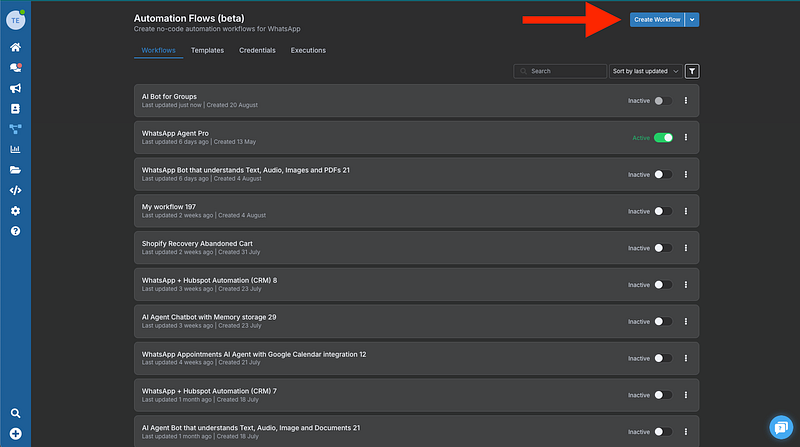
2. Connect the Wassenger Trigger
Okay, now that we are inside our new Workflow, we are going to create the connection with Wassenger in the following way:
Click on ‘Add first step’
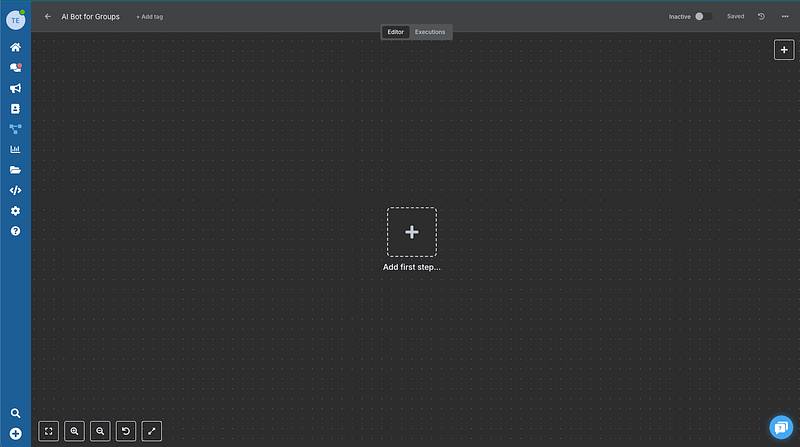
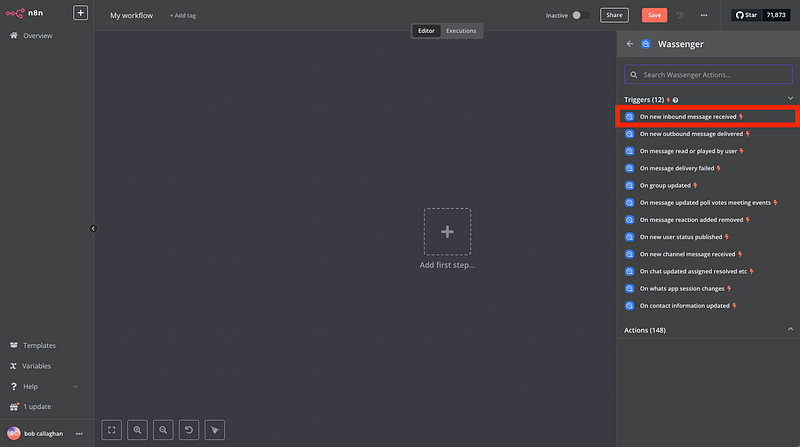
Then select the ‘On new inbound message received’ trigger
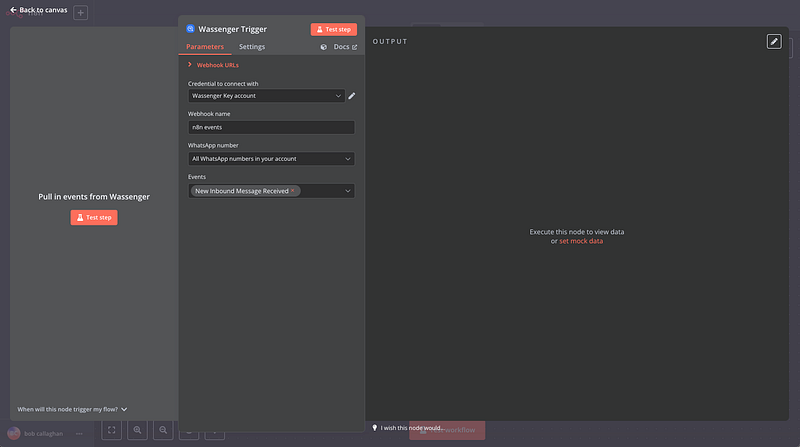
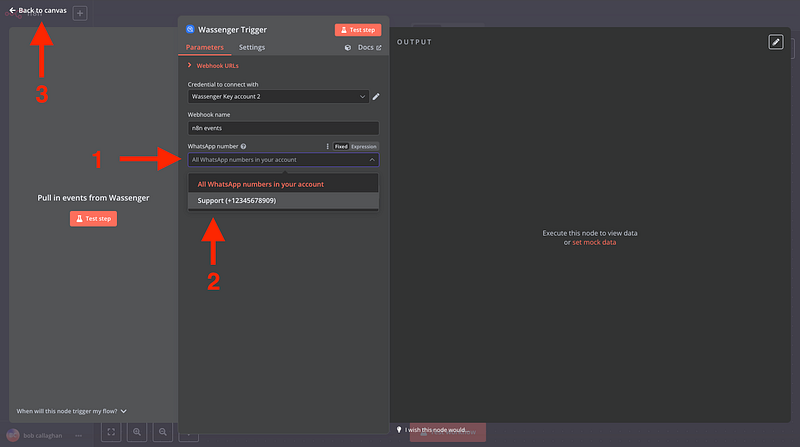
A window like this will open
👉 Start your 7-day free trial on Wassenger and leverage our powerful WhatsApp automation flows to transform your customer service today! ⚡
Then, select the connected WhatsApp number on Wassenger you want to trigger the event from and go back to your canvas
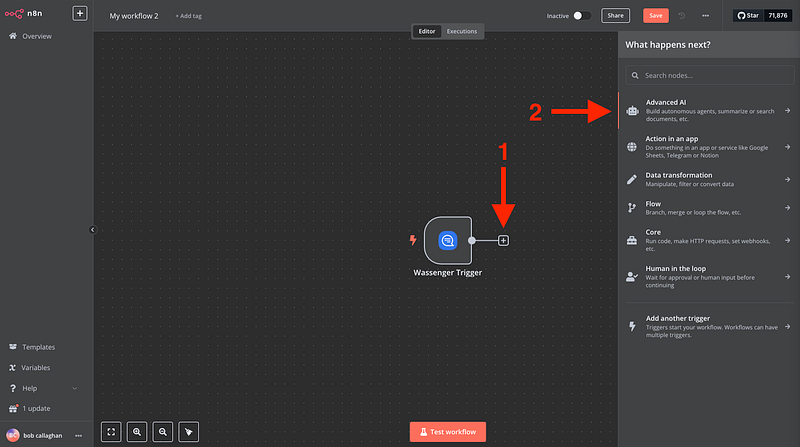
3. Connect the Advanced AI node
Now we need to connect the node that will allow us to build autonomous agents, summarize or search documents
Next
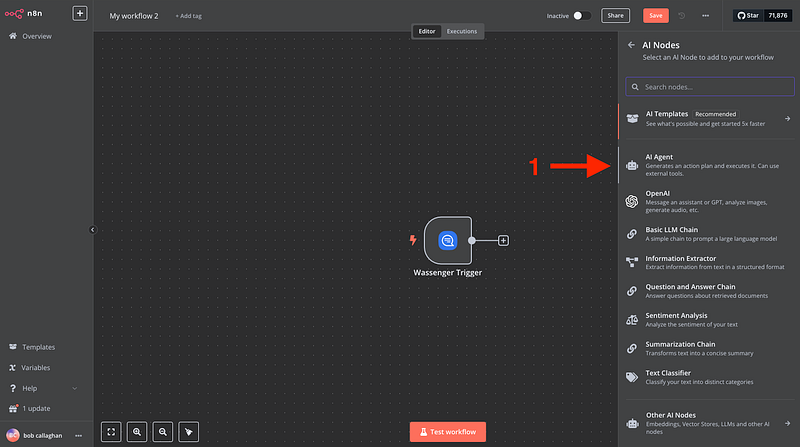
And a window like this will show up
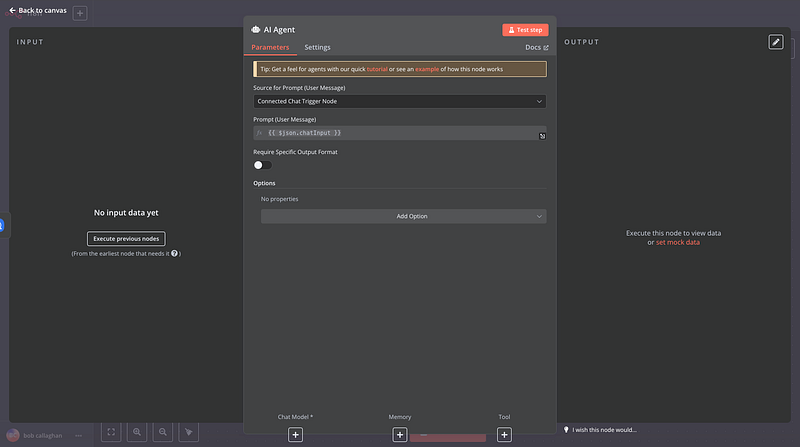
We will leave this for now to get back to our canvas to add our Open AI node, where the magic happens!
4. Connect the OpenAI chat Model
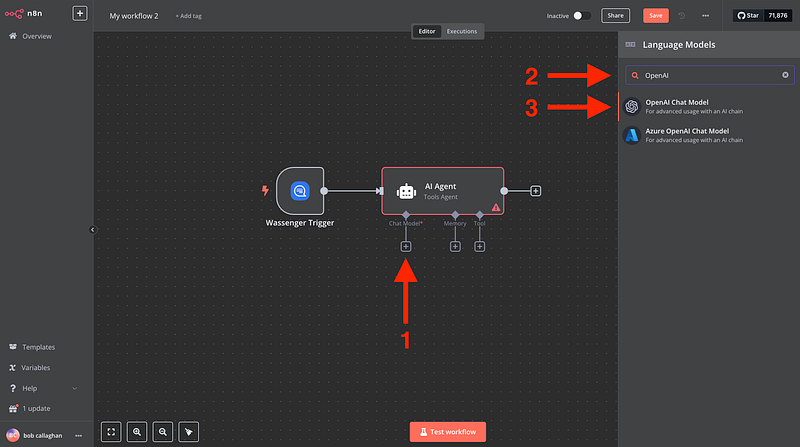
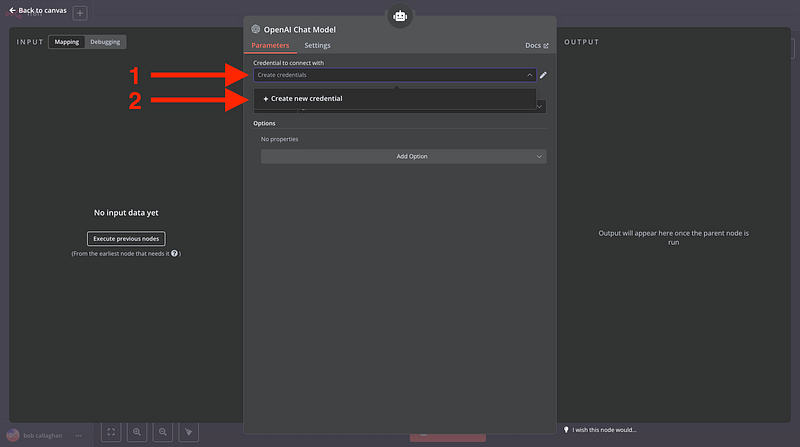
A window like this will open, and we will insert our OpenAI credentials
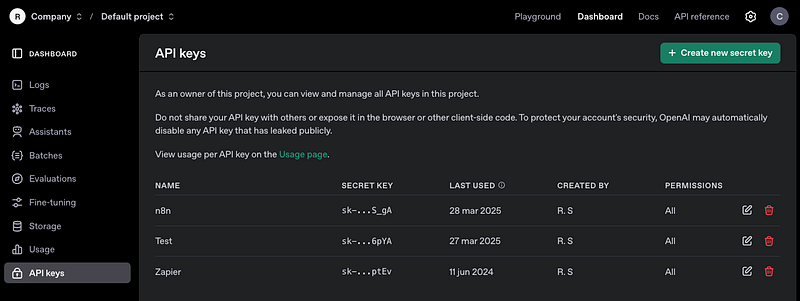
Create an OpenAI account and find your credentials here
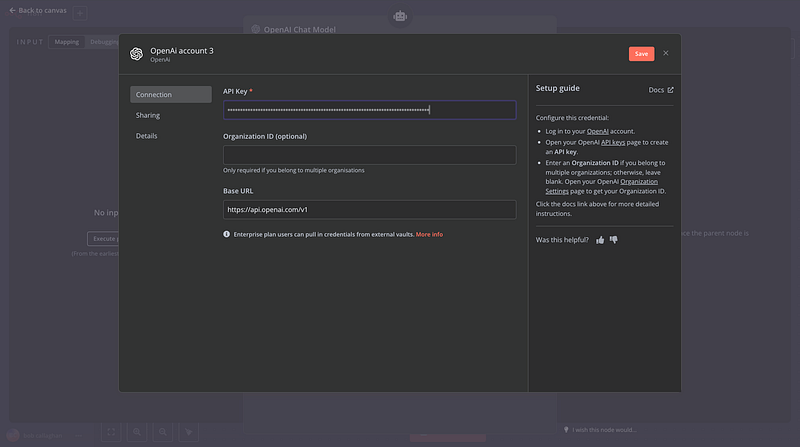
Then add it to Flows
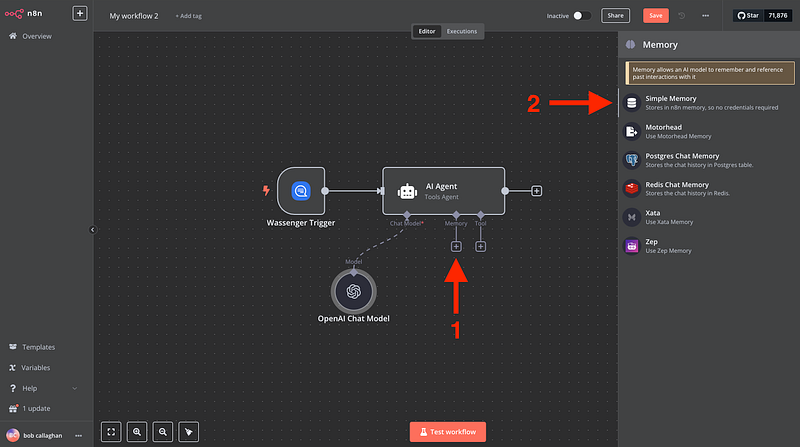
5. Add the memory node
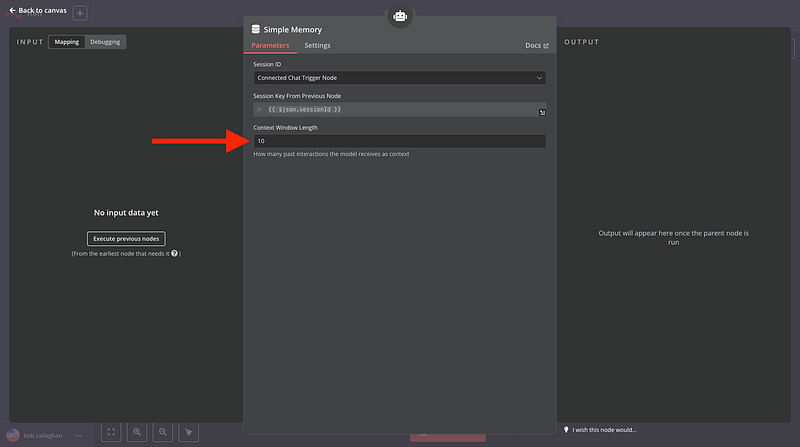
The Memory node allows an AI model to remember and reference past interactions with it, and no credentials are required since it is stored within Flows
Extend the ‘Context Window Length’ to 10
👉 Start your 7-day free trial on Wassenger and leverage our powerful WhatsApp automation flows to transform your customer service today! ⚡
6. Test your first message
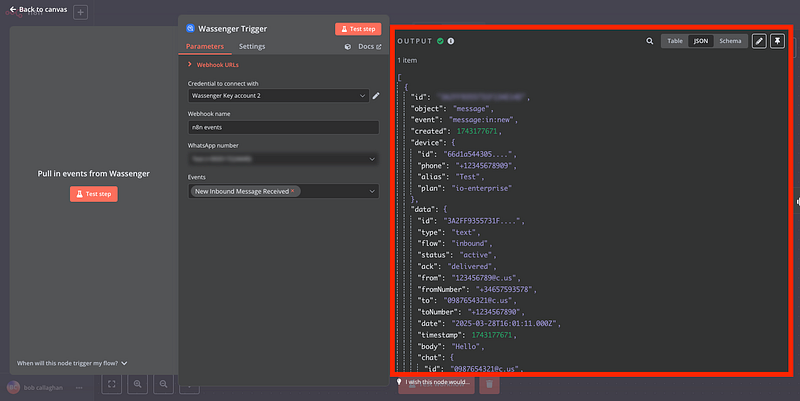
Now, we will click on ‘Test step’ on Flows to retrieve the given data from Wassenger and complete the whole process for the automation:
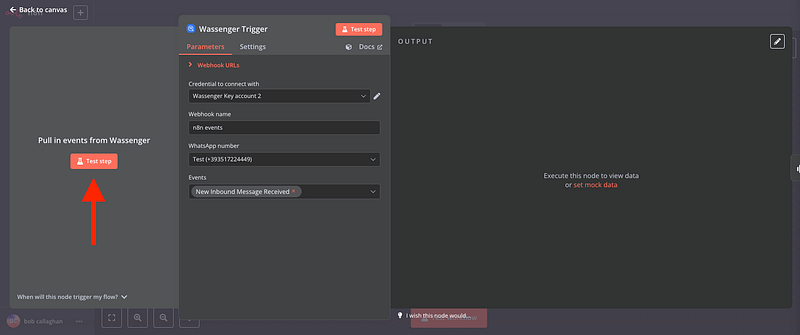
After that, you can try sending a message to your WhatsApp number from another available number.
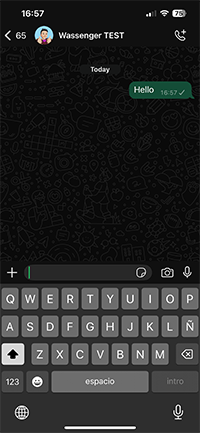
Then your Flows node will receive your message and contact information that we will use to configure the rest of the workflow
👉 Start your 7-day free trial on Wassenger and leverage our powerful WhatsApp automation flows to transform your customer service today! ⚡
8. Configure the AI Agent with the dynamic retrieved data
Open the AI Agent node we added previously
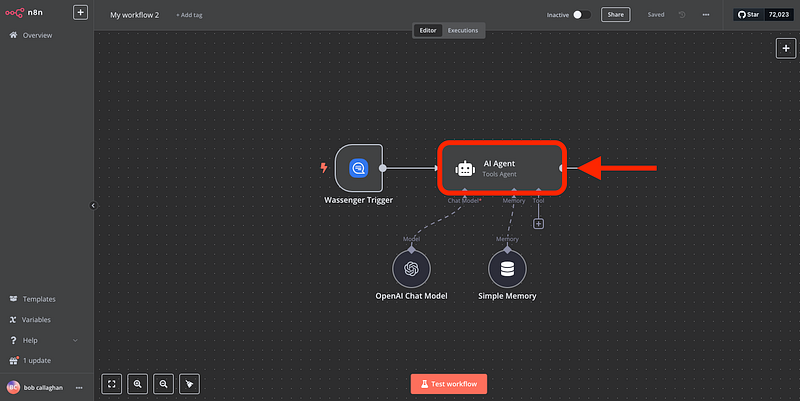
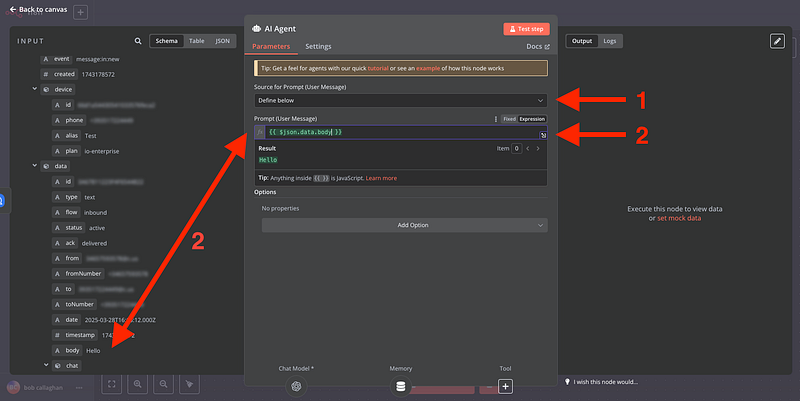
Then
- Select the Source for Prompt (User Message) as define below
- Use the ‘body’ field to reference the incoming message within the Prompt so that Wassenger always references the correct data. (Drag the element onto the input.)
If you can’t see the data tree, click ‘Execute previous nodes’ and send a new message to your WhatsApp number.
Now that we have completed our AI agent configuration, let’s see the Memory node
9. Add the Wassenger Message Response Node
Now, we will add the node that will send the AI-created message to your end WhatsApp customers
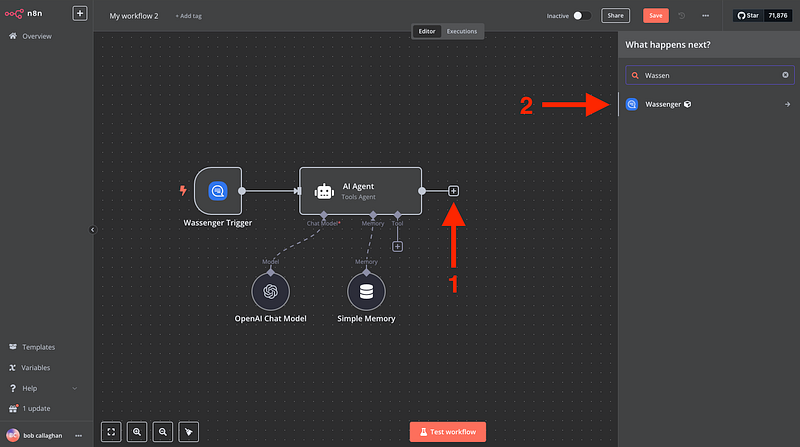
Select ‘Send a Text Message’
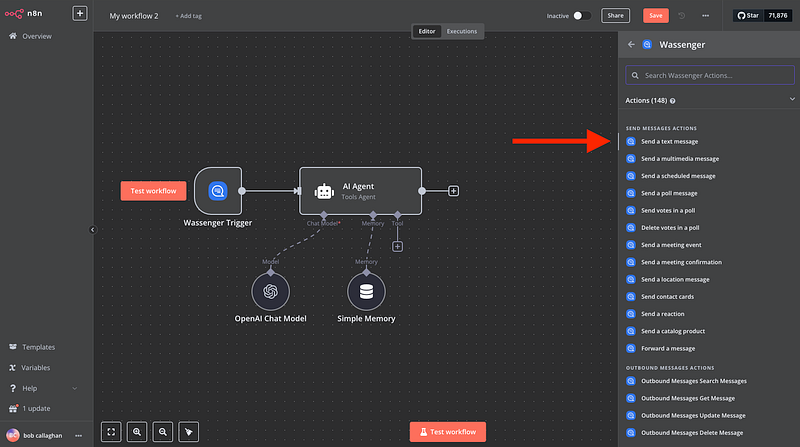
And a window like this will show up
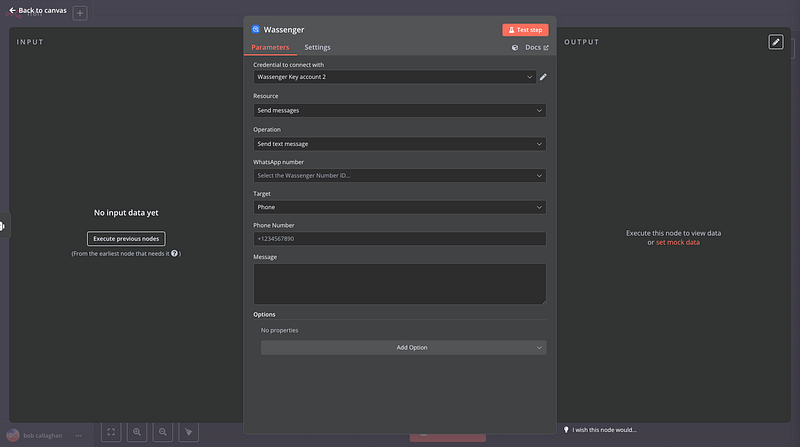
Then, we can click on ‘Execute previous nodes’** to show the message information again and proceed as follows
- Select the number ID provided by Wassenger to determine the number used to send the AI response
- The target phone number we are sending the AI-generated response
- The output message generated by our OpenAI node, based on the question we received from the customer
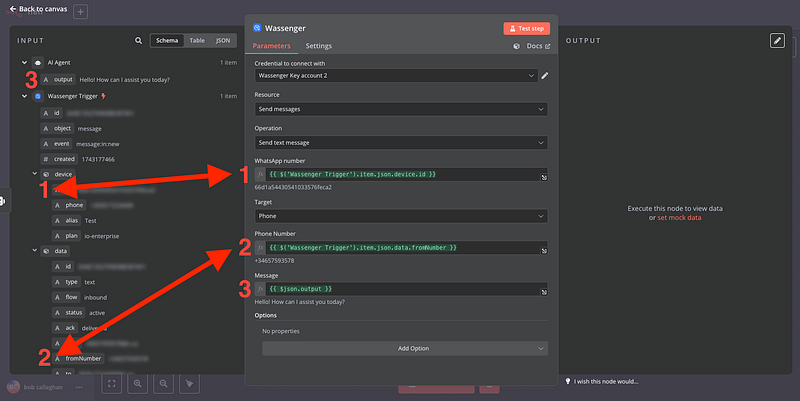
🎉 You’re All Set to Launch Your AI ChatBot!
Now that everything’s in place, you can see your chatbot in action. For example:
👤 Customer sends a message
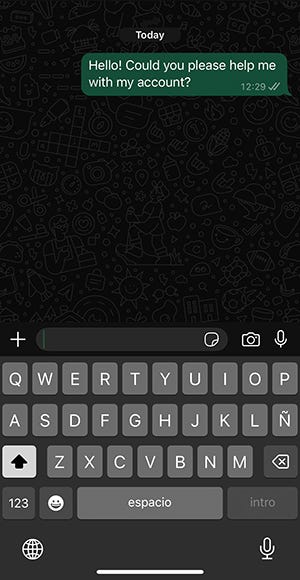
🤖 Wassenger processes it and replies instantly using AI
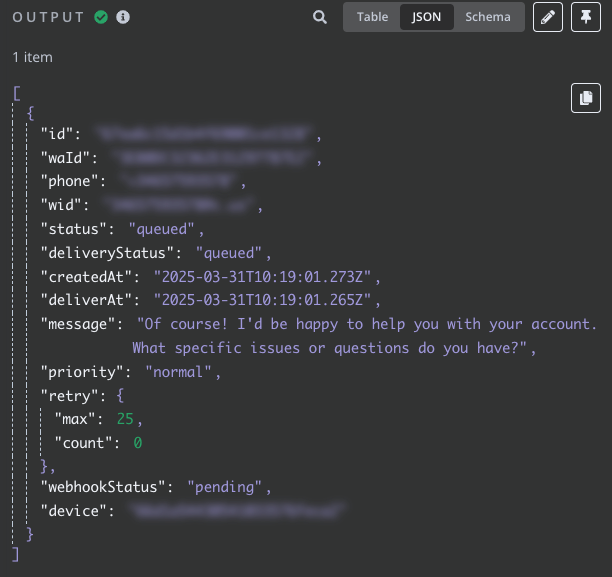
Check out more visual content of how the workflow should behave
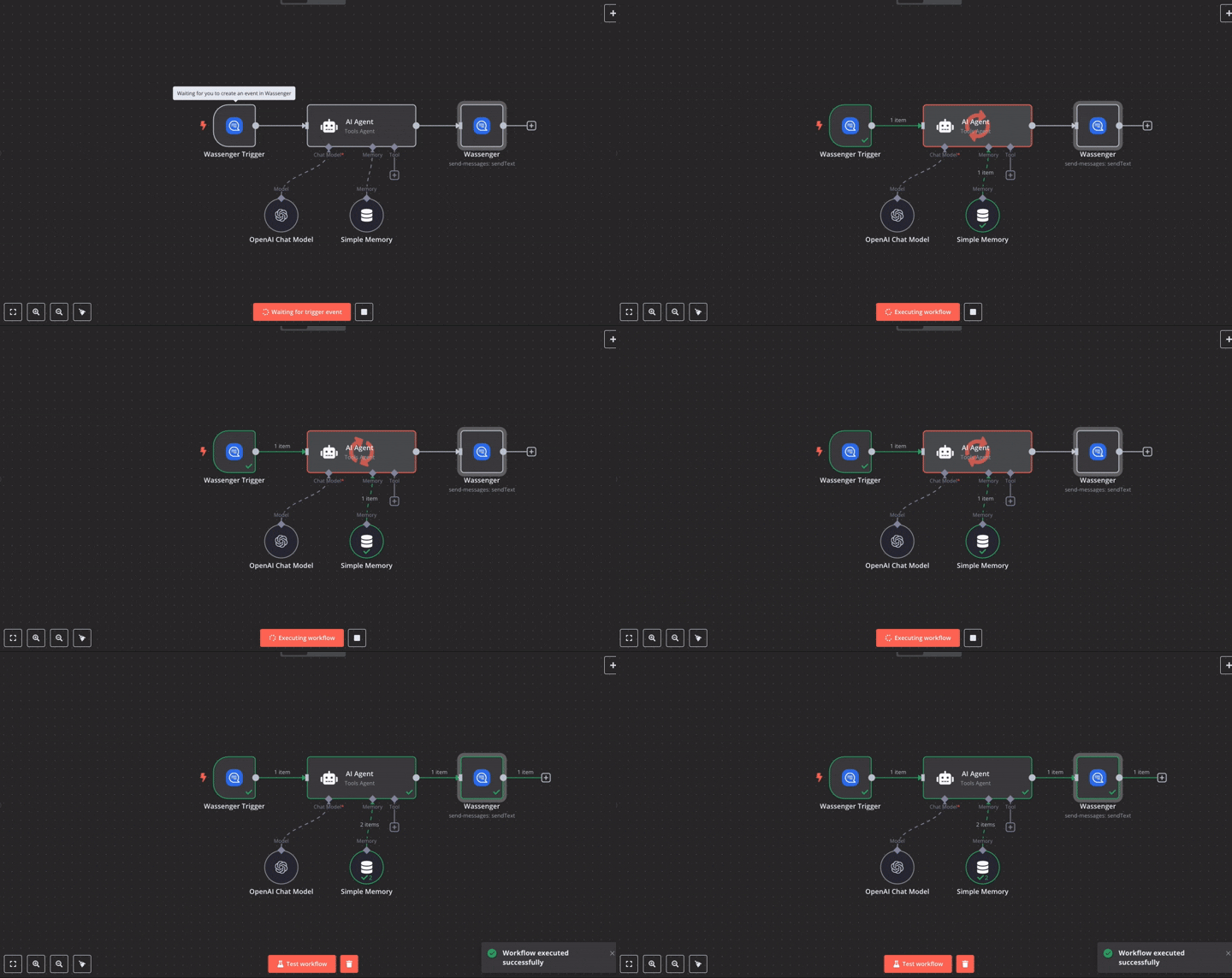
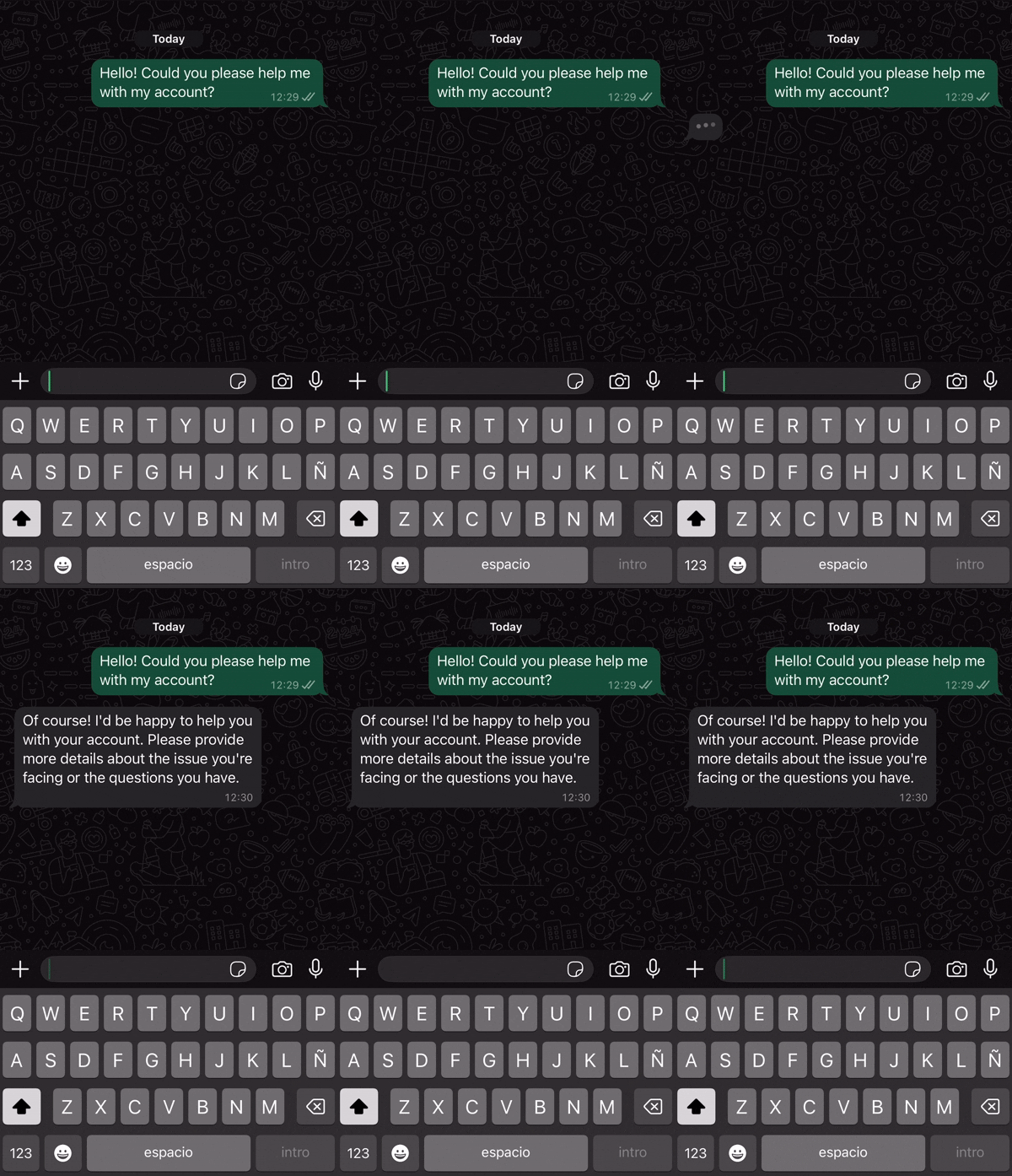
From here, you can continue building smarter, more personalized automations. Whether it’s handling FAQs, guiding users, or providing 24/7 support, the possibilities are endless.
🚀 Ready to bring your WhatsApp communication to the next level? 🤩 🤖 👉 Start your 7-day free trial on Wassenger and leverage our powerful WhatsApp automation flows to transform your customer service today! ⚡